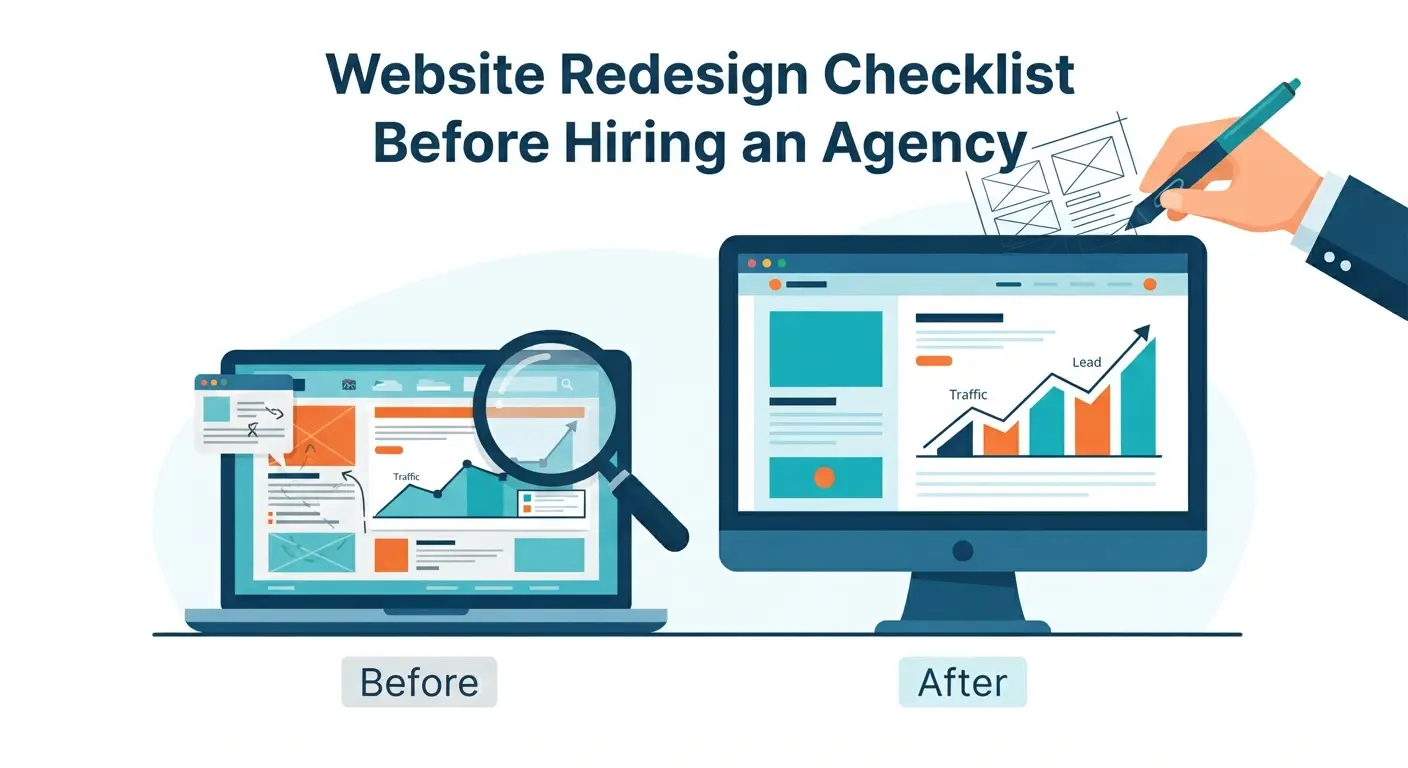
Hiring an agency for a website redesign can be one of the best business decisions you make.
It can also become expensive, slow, and frustrating if you start without a clear plan.
A redesign is not just about making your website look modern. It should improve how your website works as a business tool: clearer messaging, better SEO, faster pages, stronger trust, easier contact, and more leads.
Before you hire an agency, you need to know what is broken, what should stay, what should change, and what result you want from the new website.
This checklist will help you prepare properly before starting a redesign project.
Quick website redesign checklist
Before hiring an agency, review:
- Your current website goals
- Traffic and lead performance
- SEO rankings and important pages
- Website content and messaging
- Design and brand problems
- Mobile experience
- Speed and technical issues
- Conversion path and CTAs
- Trust signals and proof
- Budget, timeline, and scope
- Platform and ownership
- Questions to ask the agency
The more prepared you are, the better proposal you will receive.
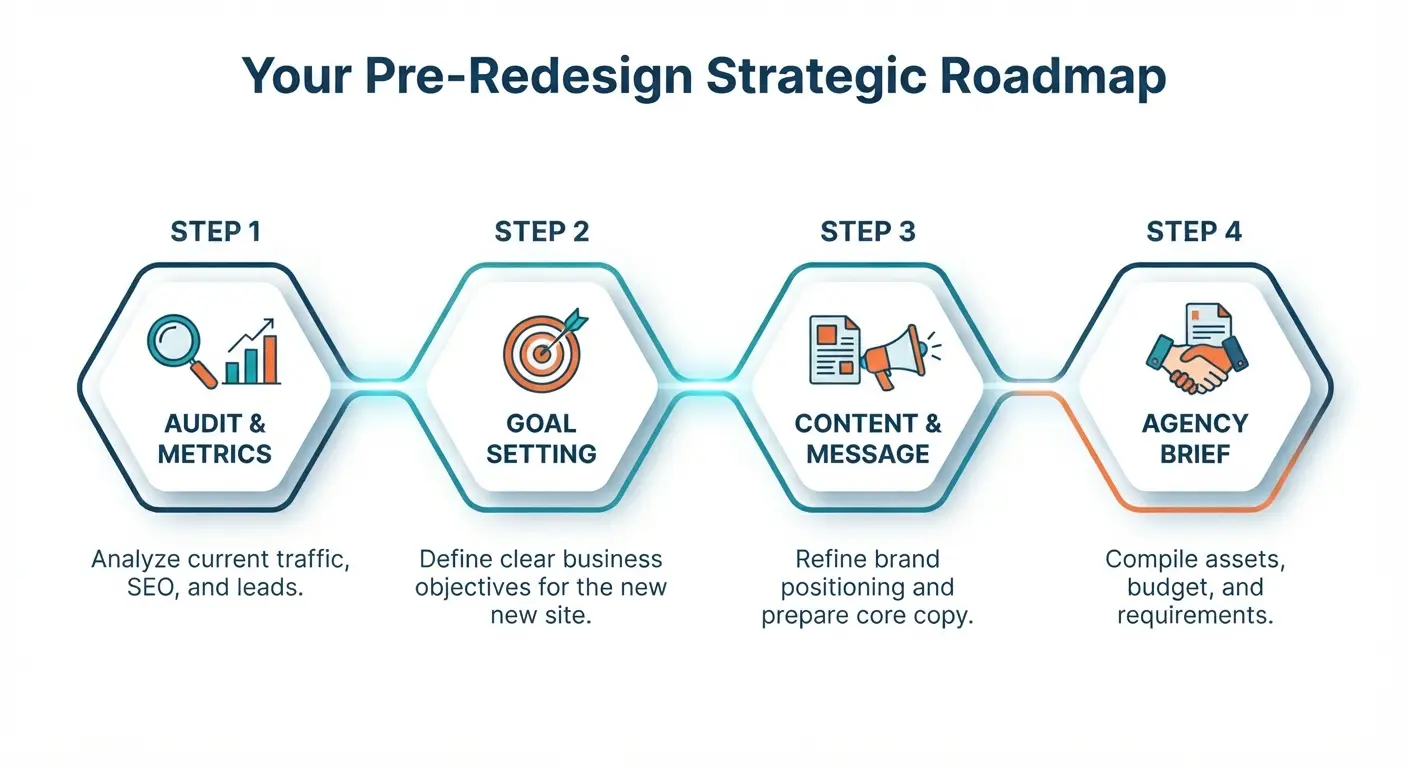
1. Clarify why you need a redesign
Do not redesign only because the website feels old.
That may be part of the reason, but a successful redesign should connect to a business goal.
Common reasons to redesign
You may need a redesign if:
- Your website is not generating leads
- Your design looks outdated
- Your site is slow
- Your website is hard to edit
- Your branding has changed
- Your services have changed
- Your site is not mobile-friendly
- Your SEO rankings dropped
- Your competitors look more credible
- Your contact form or conversion path is weak
- Your platform is limiting growth
Define the real problem
Ask:
- Are we getting enough traffic?
- Are we getting enough leads?
- Are the leads qualified?
- Are visitors finding the right information?
- Are service pages ranking on Google?
- Is the website hurting trust?
- Is the website hard for our team to maintain?
If you do not know the problem, the agency may redesign the wrong thing.
Redesign goal examples
Good redesign goals:
- Increase website leads by improving service pages and CTAs
- Improve local SEO visibility for core services
- Make the website faster and easier to use on mobile
- Modernize the brand and build more trust
- Move from a difficult platform to a flexible CMS
- Improve conversion tracking and lead reporting
Weak redesign goal:
- Make the website look better
Looks matter, but business results matter more.
2. Review your current website performance
Before changing your website, understand how it performs today.
This gives you a baseline. Without a baseline, you cannot prove whether the redesign helped.
Metrics to check
Review:
- Monthly visitors
- Top traffic sources
- Top landing pages
- Contact form submissions
- Phone clicks
- Email clicks
- Booking clicks
- Conversion rate
- Bounce or engagement rate
- Search queries
- Pages with declining traffic
Tools to use
Use:
- Google Analytics 4
- Google Search Console
- Website form records
- CRM or lead spreadsheet
- Heatmap tools if available
- Page speed tools
Questions to answer
Ask:
- Which pages bring the most traffic?
- Which pages bring the most leads?
- Which blog posts rank on Google?
- Which service pages are underperforming?
- Which pages should not be deleted?
- Which keywords are already working?
This step protects you from accidentally removing pages that bring valuable traffic.
Related: Why Your Website Is Not Getting Leads
3. Audit your SEO before redesigning
One of the biggest redesign mistakes is ignoring SEO.
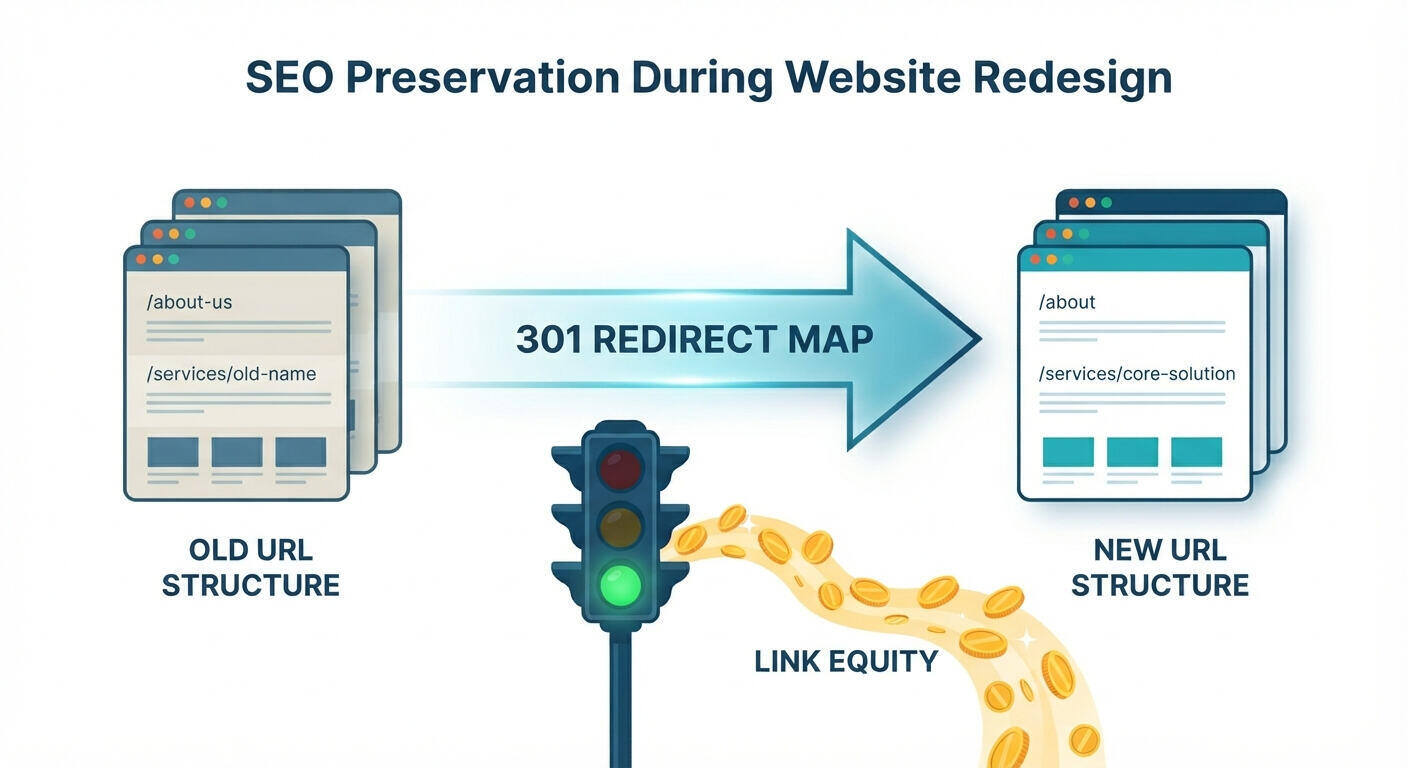
A redesign can improve rankings, but it can also destroy them if URLs, content, headings, metadata, or internal links are changed without a plan.
SEO items to document
Before hiring an agency, document:
- Current URLs
- Top ranking pages
- Top search queries
- Pages with backlinks
- Blog posts getting traffic
- Service pages that should rank
- Current title tags and meta descriptions
- Internal links
- Sitemap
- Broken links
Pages you should protect
Do not delete or replace pages that:
- Bring organic traffic
- Have backlinks
- Rank for important keywords
- Generate leads
- Support your sales process
If a page must move, create a redirect.
SEO redesign checklist
- Export current URLs
- Identify top organic landing pages
- Identify pages with backlinks
- Map old URLs to new URLs
- Preserve or improve important content
- Plan redirects
- Update title tags and meta descriptions
- Keep internal links strong
- Submit updated sitemap after launch
- Monitor rankings after launch
For local businesses, also check your local SEO foundation: SEO for Local Businesses: Simple Steps to Rank and Get More Leads
4. Check your messaging and positioning
Many websites fail because the message is unclear.
A redesign is the perfect time to fix this.
What your website should communicate
Your website should clearly explain:
- What you do
- Who you help
- What problems you solve
- Why your solution is better
- What proof you have
- What the visitor should do next
Messaging questions
Before hiring an agency, answer:
- Who is our ideal customer?
- What service or product do we want to sell most?
- What pain points do customers mention?
- What objections stop people from contacting us?
- What makes us different from competitors?
- What results can we honestly claim?
Homepage message formula
Use this simple structure:
We help [audience] achieve [result] with [service].
Examples:
- We help local service businesses get more leads with fast, SEO-friendly websites.
- We help clinics manage patients and appointments with digital healthcare tools.
- We help schools simplify admissions, results, and communication with custom software.
If your agency understands your positioning, the redesign will be sharper.
5. Review your current content
Content often slows redesign projects.
Many business owners hire an agency before preparing page content, then the project gets delayed because no one knows what should go on each page.
Content to collect
Prepare:
- Current page copy
- Service descriptions
- Product descriptions
- Team bios
- Testimonials
- Case studies
- FAQs
- Pricing or package details
- Portfolio examples
- Contact information
- Brand story
- Images and videos
Content audit questions
Ask:
- Which pages are outdated?
- Which services need better explanation?
- Which content can be reused?
- Which content should be rewritten?
- Which pages are missing?
- Which FAQs should be added?
- Which blog posts should be updated?
Content mistakes to avoid
Avoid:
- Copying old weak content into a new design
- Writing only about your company, not customer problems
- Using generic service descriptions
- Forgetting FAQs
- Ignoring internal links
- Launching without service-specific pages
Design supports content. It cannot replace it.
6. Analyze your competitors
Competitor research helps you understand what customers expect in your market.
You are not copying competitors. You are learning what gaps exist.
What to review
Look at 5-10 competitors and note:
- Their homepage message
- Services offered
- Pricing visibility
- CTAs
- Trust signals
- Portfolio or case studies
- Blog topics
- Page speed
- Mobile experience
- Google rankings
- Reviews and reputation
Questions to ask
- What do competitors explain better than us?
- What trust signals do they show?
- Which keywords do they target?
- What offers do they use?
- What design patterns feel modern?
- What can we do more clearly?
Look for gaps
Examples of useful gaps:
- Competitors have weak FAQs
- Competitors do not show pricing guidance
- Competitors have slow websites
- Competitors lack case studies
- Competitors do not target local service keywords
- Competitors have poor mobile experience
Your redesign should not only match competitors. It should remove friction better than they do.
7. Check mobile experience
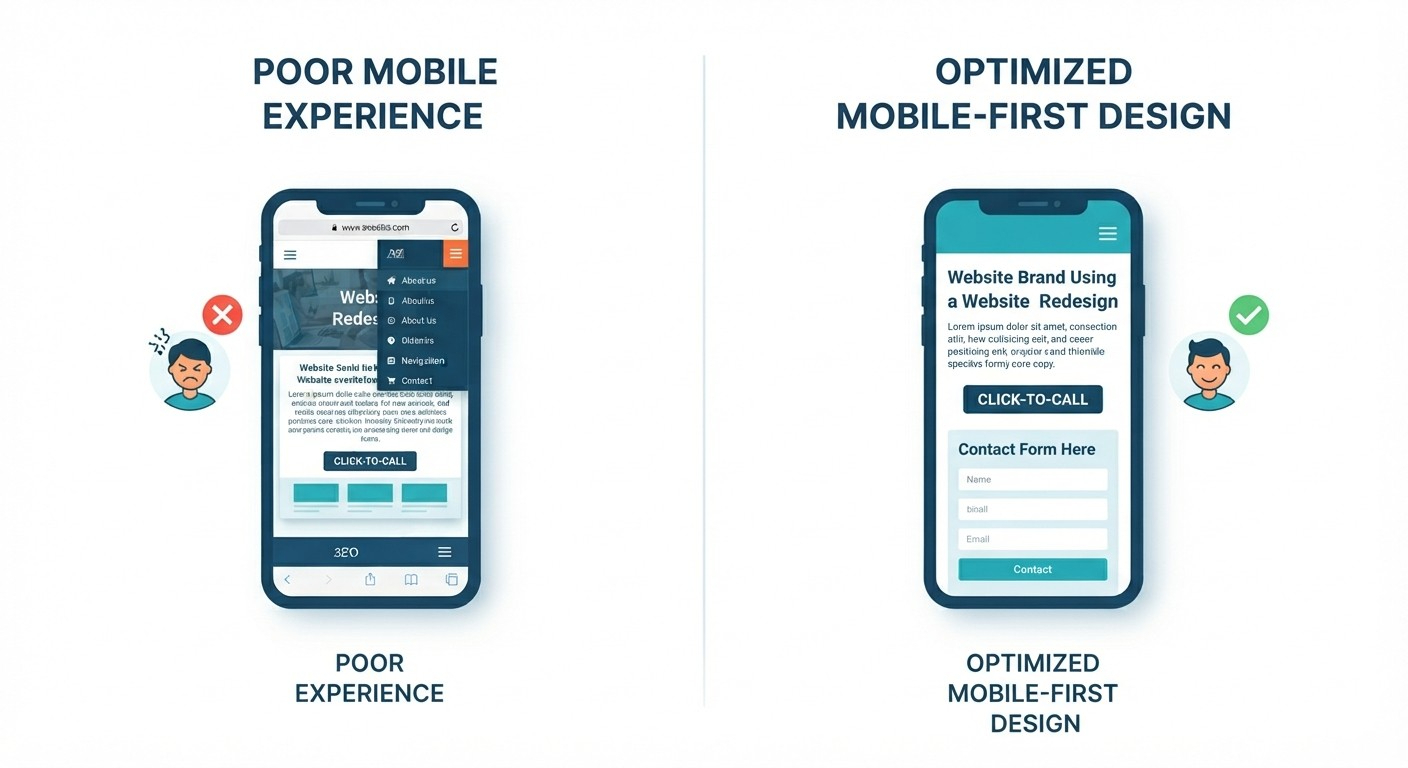
A redesign should be planned mobile-first.
Many visitors will see your website from a phone before they ever see it on desktop.
Mobile audit checklist
Open your current site on a phone and check:
- Is the headline readable?
- Is the CTA visible?
- Can users tap buttons easily?
- Is the navigation simple?
- Does the form work?
- Is the phone number clickable?
- Are images properly sized?
- Does the page load fast?
- Are service pages easy to read?
- Is there too much scrolling before value is clear?
Mobile redesign priorities
For mobile, prioritize:
- Fast loading
- Clear headline
- Short sections
- Tap-friendly CTAs
- Click-to-call
- Simple forms
- Easy navigation
- Strong trust signals near action points
Mobile users often want answers quickly. Respect that.
8. Review speed and technical problems
A redesign should improve technical performance, not make the website heavier.
Some redesigns look beautiful but become slower because of large images, animations, scripts, plugins, and bloated themes.
Technical issues to check
Check for:
- Slow page load
- Large images
- Broken links
- Outdated plugins
- Security warnings
- Missing SSL
- Poor hosting
- Error pages
- Missing redirects
- Duplicate pages
- Forms not working
- Layout problems on mobile
Technical questions for the agency
Ask:
- How will you optimize speed?
- What platform do you recommend and why?
- Will the site be easy to update?
- How will redirects be handled?
- Will you test forms before launch?
- Will you set up backups?
- Will you provide post-launch support?
- What happens if something breaks?
Technical quality is invisible when it works and painful when it does not.
Related: Top WordPress Plugins & Tools for Faster, More Secure Websites
9. Improve your conversion path
Your redesign should make it easier for visitors to become leads.
That means every important page needs a clear path to action.
Conversion audit questions
Ask:
- What is the main action we want visitors to take?
- Is the CTA clear?
- Is the CTA visible above the fold?
- Do service pages have CTAs?
- Does the blog link to services?
- Is the contact form too long?
- Are trust signals near the form?
- Does the thank-you message explain next steps?
Strong CTA examples
Use specific CTAs:
- Get a free website audit
- Request a website quote
- Book a free consultation
- Get your SEO review
- Start your project
Avoid vague CTAs:
- Submit
- Learn more
- Click here
Conversion-focused redesign sections
Include:
- Clear hero section
- Service benefits
- Proof/testimonials
- Process section
- FAQs
- Offer or consultation CTA
- Short contact form
- Final CTA before footer
For more detail, read: Website Conversion Best Practices: Turn Visitors into Customers
10. Collect trust signals before the project starts
Trust signals make your redesign stronger.
Agencies can design testimonial sections, but they cannot invent real proof for you.
Trust assets to prepare
Collect:
- Client testimonials
- Google reviews
- Case study details
- Before/after screenshots
- Project results
- Client logos
- Certifications
- Team photos
- Office photos
- Product screenshots
- Media mentions
How to ask clients for testimonials
Ask simple questions:
- What problem did you have before working with us?
- What changed after the project?
- What did you like about the process?
- Would you recommend us?
This creates better testimonials than asking, “Can you write something nice?”
Where trust should appear
Add trust signals:
- On homepage
- On service pages
- Near CTAs
- On contact page
- In case studies
- In proposal-related landing pages
Trust should support action.
11. Decide what platform makes sense
Do not choose a platform only because it is popular.
Choose based on your business needs, editing needs, growth plans, and budget.
Common platform options
| Platform | Best for | Notes |
|---|---|---|
| WordPress | Content-heavy business sites, SEO, flexibility | Needs maintenance |
| Shopify | Ecommerce stores | Strong for selling products |
| Webflow | Design-focused marketing sites | Good visual control |
| Astro/Next.js | Fast custom websites and content platforms | Developer-managed |
| Custom app | Portals, dashboards, workflows, SaaS | Higher cost, more power |
Platform questions
Ask:
- Can my team edit content?
- Is it SEO-friendly?
- Is it fast?
- Is it secure?
- What does maintenance cost?
- Can it grow with us?
- Are we locked into one vendor?
- Who owns the code and content?
For many small businesses, WordPress or a fast custom site works well. For ecommerce, Shopify may be better. For custom workflows, you may need custom development.
Related: How Much Does a Small Business Website Cost in 2026?
12. Set a realistic budget
Website redesign cost depends on scope.
A redesign with only visual updates costs less than a redesign with new content, SEO restructuring, custom development, analytics, and conversion strategy.
Typical redesign cost ranges
| Redesign type | Estimated cost |
|---|---|
| Basic visual refresh | $800-$2,500 |
| Small business redesign | $2,500-$8,000 |
| SEO and lead generation redesign | $5,000-$15,000 |
| Ecommerce redesign | $5,000-$25,000+ |
| Custom website or platform redesign | $10,000-$50,000+ |
Budget factors
Your cost depends on:
- Number of pages
- Content writing
- SEO work
- Custom design
- Platform migration
- Ecommerce features
- Integrations
- Speed optimization
- Maintenance and support
Budget tip
Do not spend your whole budget on design only.
Reserve budget for:
- Copywriting
- SEO
- Photography
- Maintenance
- Content updates
- Post-launch improvements
A redesign is not finished the day it launches.
13. Prepare a clear project brief
A project brief helps agencies give better proposals.
Without a brief, agencies guess. With a brief, they can recommend the right scope, timeline, and budget.
What to include in your brief
Include:
- Business overview
- Current website URL
- Main redesign goals
- Target audience
- Core services/products
- Competitors
- Pages needed
- Features needed
- SEO concerns
- Content status
- Brand assets
- Timeline
- Budget range
- Decision maker
Simple redesign brief template
Use this:
Business: What we do and who we serve
Current problem: Why the website needs redesign
Goal: What the new website should achieve
Audience: Who visits the site
Pages: Required pages
Features: Forms, booking, ecommerce, blog, integrations
SEO: Important pages and keywords
Content: Ready, needs editing, or needs writing
Timeline: Desired launch date
Budget: Expected investment range
This makes the agency conversation much more productive.
14. Questions to ask before hiring an agency
The right agency should ask good questions and explain their process clearly.
Strategy questions
Ask:
- How do you start a redesign project?
- Will you review our analytics and SEO before redesigning?
- How do you decide page structure?
- Do you help with messaging and copy?
- How do you improve conversions?
SEO questions
Ask:
- How will you protect existing rankings?
- Will you create a redirect map?
- Do you optimize page titles and meta descriptions?
- Will you submit the sitemap after launch?
- Will you check broken links?
Design and development questions
Ask:
- Will the design be custom or template-based?
- How many revision rounds are included?
- Will the site be mobile responsive?
- How do you test speed?
- What platform will you use?
- Can we edit content ourselves?
Support questions
Ask:
- What support is included after launch?
- Do you provide maintenance?
- What happens if the site breaks?
- Who owns the website?
- Will we receive training?
Pricing questions
Ask:
- What exactly is included?
- What is not included?
- What causes extra cost?
- Is content writing included?
- Is hosting included?
- Is ongoing maintenance included?
Good agencies welcome clear questions.
15. Red flags when hiring a redesign agency
Be careful if an agency:
- Promises guaranteed Google rankings
- Does not ask about business goals
- Ignores your current SEO performance
- Cannot explain their process
- Has no portfolio or proof
- Pushes a platform without understanding your needs
- Gives a vague quote with unclear deliverables
- Does not mention mobile or speed
- Does not discuss content
- Does not offer post-launch support
A redesign affects your brand, leads, and search visibility. Choose carefully.
Pre-redesign checklist
Use this before you contact agencies.
Business goals
- Main redesign goal is clear
- Target audience is defined
- Main services/products are prioritized
- Success metrics are listed
Current website audit
- Analytics reviewed
- Search Console reviewed
- Top pages identified
- Lead sources identified
- Broken forms or links checked
SEO
- Current URLs exported
- Ranking pages identified
- Backlink pages identified
- Redirect needs listed
- Important keywords documented
Content
- Existing pages reviewed
- Missing pages listed
- Testimonials collected
- Portfolio examples gathered
- FAQs prepared
- Photos and brand assets organized
Conversion
- Main CTA chosen
- Contact form reviewed
- Lead offer defined
- Trust signals planned
- Tracking needs listed
Project details
- Budget range set
- Timeline set
- Required features listed
- Platform preferences noted
- Project brief prepared
Frequently asked questions
When should I redesign my website?
Redesign your website when it no longer supports your business goals.
Common signs include poor lead generation, outdated design, slow speed, weak mobile experience, SEO decline, difficult editing, changed services, or poor conversion tracking.
Should I redesign or just improve my current website?
If the structure, platform, and design are still solid, focused improvements may be enough.
Improve your current site if you only need better CTAs, updated copy, faster images, or a few new service pages.
Redesign if the website is outdated, hard to manage, slow, poorly structured for SEO, or no longer matches your brand and services.
Will redesigning my website hurt SEO?
It can if handled poorly.
SEO problems happen when important URLs are deleted, redirects are missing, content is removed, page titles are changed badly, or internal links are broken.
A good redesign protects important pages and improves weak ones.
How long does a website redesign take?
Most small business redesigns take 4-12 weeks.
Simple refreshes may take 2-4 weeks. Larger SEO, ecommerce, or custom development projects can take 3-6 months or more.
How much does a website redesign cost?
A small redesign can cost $2,500-$8,000. A growth-focused redesign with SEO, copywriting, custom design, and conversion strategy can cost $5,000-$15,000+. Ecommerce or custom platforms can cost more.
Read more: How Much Does a Small Business Website Cost in 2026?
What should I prepare before contacting an agency?
Prepare your goals, current website URL, analytics access, top pages, service list, content, testimonials, brand assets, budget range, timeline, and examples of websites you like.
Should I hire a freelancer or agency for redesign?
Hire a freelancer if the project is simple and budget is limited.
Hire an agency if you need strategy, SEO protection, copywriting, design, development, tracking, and ongoing support.
For business-critical websites, an agency process is usually safer.
Final thoughts
A website redesign should make your business easier to understand, trust, find, and contact.
Before hiring an agency, do the preparation:
- Clarify the business goal
- Review analytics and SEO
- Protect important pages
- Prepare content and proof
- Define the CTA
- Set a realistic budget
- Ask smart questions
The better your preparation, the better your redesign outcome.
Planning a website redesign? Contact TheWebPal for a free website audit, redesign checklist review, or project estimate before you hire an agency.