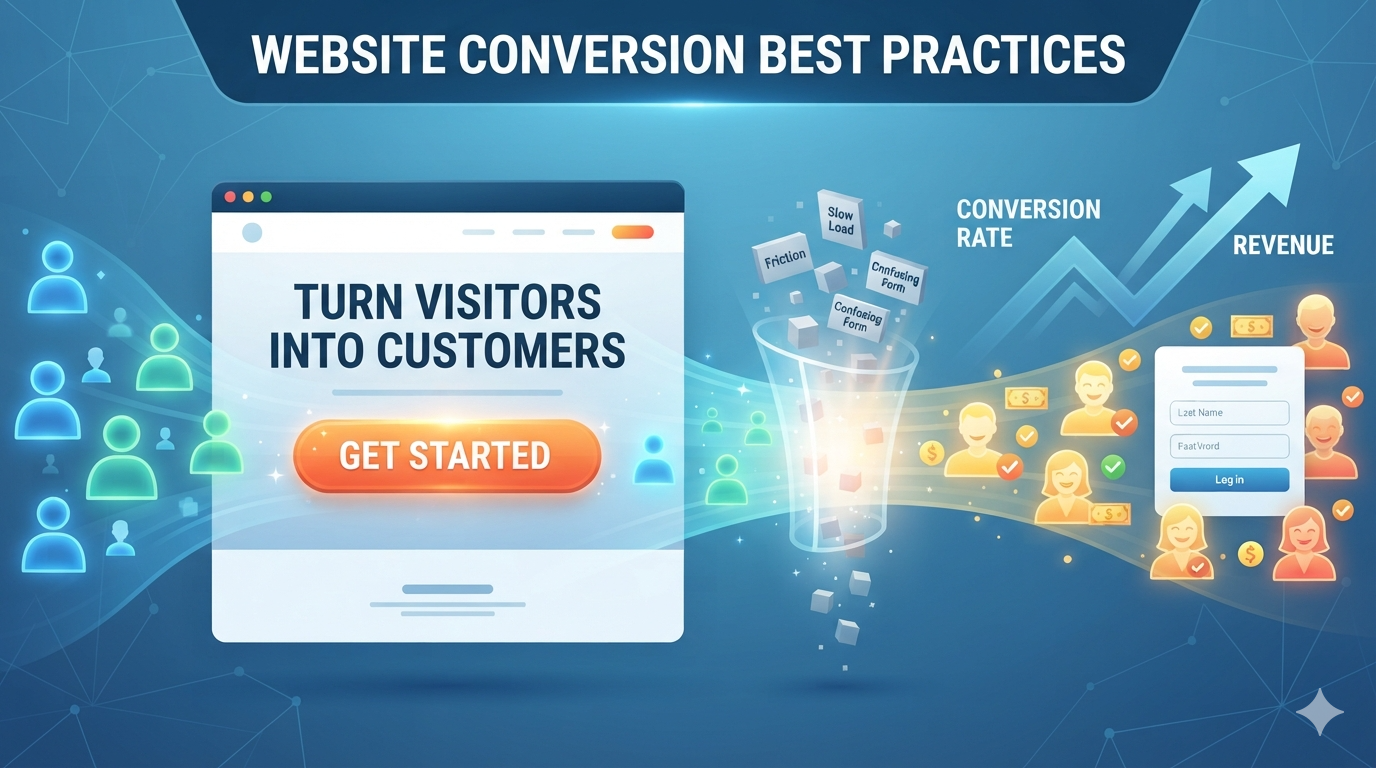
You spent money on hosting, design, and traffic. Your website gets visitors. But they leave without converting—no leads, no sales, no progress.
This is the biggest missed opportunity for small businesses.
Conversion rate optimization (CRO) is the practice of improving your website so more visitors take your desired action (call, fill form, buy, schedule, subscribe).
The math is simple: double your conversion rate, double your revenue without spending more on traffic.
This guide walks you through proven conversion optimization strategies you can implement today.
Why conversion rate matters more than traffic volume
The traffic myth
Many businesses obsess over traffic: “We need more visitors!”
But more traffic doesn’t matter if people don’t convert.
The conversion reality
1,000 visitors with 5% conversion = 50 leads 1,000 visitors with 2% conversion = 20 leads
Same traffic. 2.5x difference in results.
The numbers that matter
- Traffic — how many people visit
- Conversion rate — what % of visitors take your desired action
- Revenue per conversion — how much money each conversion is worth
Real profit = Traffic × Conversion Rate × Revenue Per Conversion
Most businesses can’t dramatically increase traffic without paid ads. But improving conversion rate is 100% in your control.
Understanding your conversion funnel
The stages of a customer journey
- Awareness — person discovers your business
- Consideration — they explore your site, learn about you
- Decision — they decide to convert (call, buy, sign up)
- Action — they take the conversion action
- Follow-up — you respond and nurture the relationship
Conversion optimization happens at every stage.
Where visitors drop off
Most drop off in stages 2-3 (they consider but don’t convert).
Reasons they leave without converting:
- Unclear value proposition — they don’t understand what you offer
- No trust signals — no reviews, credentials, social proof
- Too many friction points — hard to navigate, slow site, confusing forms
- Competing options — they compare you to competitors
- Wrong timing — they’re not ready to buy yet
- Poor mobile experience — site doesn’t work well on their phone
- Unclear next step — they don’t know what to do
Good conversion optimization removes these barriers.
The conversion optimization process
The framework
- Analyze — understand where visitors drop off
- Hypothesize — identify what might be blocking conversion
- Test — make small changes and measure impact
- Implement — roll out what works
- Repeat — continuously improve
This is CRO. Not guessing. Testing and measuring.
Conversion optimization by stage
Stage 1: Awareness (landing on your site)
Goal: Communicate value immediately
Optimization:
1. Crystal clear headline
Your headline is the first thing visitors read. It must communicate value in 5-10 seconds.
Bad headline: “Welcome to our site” Good headline: “Get More Leads in 30 Days With Our SEO Services” or “Beautiful WordPress Sites Built for Conversions”
Your headline should answer: “What do you offer?” and “Why should I care?”
2. Compelling subheading
The headline hooks attention. The subheading explains further.
Example: Headline: “Affordable Web Design for Local Businesses” Subheading: “Get a professional website that attracts customers and ranks on Google. Starting at $2,500. No contracts.”
3. Hero image or video
Visuals create emotional connection faster than text.
Use images that show:
- Your work/product in use
- Happy customers
- Before/after results
- Your team
Avoid stock photos that look generic.
4. Clear value proposition
State what you do and why it matters in one sentence.
Examples:
- “We build WordPress websites that bring real leads and sales.”
- “SEO services that help local businesses rank higher on Google.”
- “Email marketing software that doesn’t require coding.”
Stage 2: Consideration (exploring your site)
Goal: Build trust and reduce doubt
Optimization:
1. Social proof and reviews
Humans trust humans. Show evidence that others chose you.
Add:
- Customer testimonials with names and photos
- Star ratings and review counts
- Case studies with before/after metrics
- Press mentions or logos of publications
- Trust badges (secure, award-winning, etc.)
Example: “5-star rating from 127 customers on Google” “As featured in Forbes and Entrepreneur” “Trusted by 1,000+ small businesses”
2. Clear service/product descriptions
Explain what you offer and who benefits most.
For each service, show:
- What it is
- Who it’s for
- What problems it solves
- What’s included
- Expected results
Example for a web design service: Brochure Website Package Who it’s for: Local service providers (plumbers, consultants, salons) What it includes: 5-8 pages, contact forms, Google Maps, mobile-responsive Timeline: 3-4 weeks Price: Starting at $2,500 Expected result: Professional online presence that attracts local leads
3. Credibility signals
Help people trust you:
- Your qualifications and experience
- Years in business
- Credentials or certifications
- Client logos
- Awards or recognition
- Your team and expertise
Example: “15+ years of web design experience. Certified Google Partner. Built 300+ sites. Trusted by startups and Fortune 500 companies.”
4. Simple navigation
Don’t make people hunt for information.
Clear navigation shows:
- Services or products
- Pricing
- How it works
- About you
- Contact
Mobile navigation should be simple and touch-friendly.
5. Content that answers questions
Address common objections with content:
- FAQ section (answers common questions)
- “How it works” page (reduces uncertainty)
- Pricing page (transparency builds trust)
- Blog posts (demonstrates expertise)
Example FAQ: Q: How much does a website cost? A: Our packages range from $2,500 to $10,000 depending on complexity. [link to pricing page]
Q: How long does it take? A: 3-4 weeks for most projects. Rush delivery available.
Q: Will it be mobile-friendly? A: Yes. All our sites are mobile-responsive and fast.
Stage 3: Decision (ready to convert)
Goal: Make conversion easy and clear
Optimization:
1. Strong call-to-action (CTA)
Your CTA is the button or link you want people to click.
Make it:
- Visible (high contrast, prominent placement)
- Clear (action-focused: “Get Started,” “Schedule Call,” “Buy Now”)
- Urgency-driven (optional: “Book your free consultation today”)
- Benefit-focused (not “Submit form” but “Get Free Website Review”)
Examples:
- “Schedule your free consultation”
- “Get started with your free trial”
- “Claim your free audit”
- “Buy now and save 30%”
2. Above the fold CTA
Place your primary CTA above the fold (visible without scrolling) on your homepage.
3. Multiple CTAs
Different visitors are in different stages. Offer:
- “Learn more” (for early-stage visitors)
- “Schedule a call” (for ready-to-decide visitors)
- “Buy now” (for ready-to-purchase)
4. Reduce friction
Remove barriers to conversion:
- Short forms (3-5 fields, not 15)
- No required fields except essential info
- Single-step checkout (if ecommerce)
- Clear next steps (what happens after they convert?)
Example form: Field 1: First name Field 2: Email Field 3: Company or focus (optional)
Message: “We’ll send you a proposal within 24 hours. No obligations.”
5. Mobile optimization
50-60% of traffic is mobile. Your CTA must work on mobile:
- Touch-friendly buttons (big enough to tap)
- Fast loading on 4G
- Vertical layout (not horizontal)
- Simplified forms
6. Trust at the moment of conversion
Before someone gives you their info or money, show:
- “Your info is secure” (SSL badge)
- “No spam” (privacy commitment)
- “Easy cancellation” (for subscriptions)
- Money-back guarantee
Example: “We won’t sell your email. Unsubscribe anytime. No questions asked.”
Stage 4: Action (they convert)
Goal: Smooth and fast conversion process
Optimization:
1. Fast checkout or form submission
Every second of delay loses conversions.
Optimize:
- Page load time under 3 seconds
- Form submission instant
- Clear progress indicator (step 1 of 3)
- No unexpected fields or surprises
2. Confirmation and next steps
Immediately after conversion, confirm it and show next steps.
Example for lead form: “Thank you! Your message is received. We’ll reach out within 24 hours.”
Example for purchase: “Your order is confirmed! Check your email for receipt and shipping info.”
3. Post-conversion follow-up
The conversion isn’t the end. It’s the beginning of the relationship.
Follow up:
- Thank you email within 1 hour
- Additional info or resources
- Clear timeline (“We’ll call you Thursday”)
- Easy way to reach you with questions
Conversion optimization techniques
A/B testing (split testing)
Test two versions of a page and see which converts better.
Example A/B tests:
- Red button vs. green button
- “Learn more” vs. “Get started” CTA
- Short form vs. long form
- Trust badge placement
- Homepage headline
How to test:
- Change ONE element (button color, headline, etc.)
- Show 50% of traffic version A, 50% version B
- Run for 100-500 conversions to get statistical significance
- See which version wins
- Implement winner
Best tools for A/B testing:
- Optimizely (enterprise)
- VWO (mid-market)
- Google Optimize (free, built into Google Analytics)
Heatmaps and session recording
See where visitors click, scroll, and get stuck.
Tools:
- Hotjar (affordable, visual)
- Lucky Orange (good UX)
- Crazy Egg (detailed heatmaps)
What to look for:
- Where people click (vs. where you want them to click)
- Where people scroll to (are they seeing CTAs?)
- Where people drop off (what page, what point)
- Scroll heat (are they reading your content?)
Example insight from heatmap: “Most visitors scroll past our main CTA. Let’s move it higher on the page or make it bigger.”
Form analytics
See what form fields cause drop-offs.
What to measure:
- How many people start the form
- How many complete it
- Which fields cause the most drop-off
Example insight: “80% of people fill the first two fields. Only 30% fill all five. Let’s remove the unnecessary fields.”
Analytics tracking
Use Google Analytics 4 to understand visitor behavior.
Key metrics:
- Bounce rate (% who leave without taking action)
- Pages per session (are they exploring?)
- Time on page (are they interested?)
- Conversion rate (% who convert)
- Cost per conversion (traffic cost ÷ conversions)
Setup:
- Install Google Analytics 4
- Create “conversion goal” for your desired action (purchase, form submission, etc.)
- Track which pages convert best
- Optimize underperforming pages
Conversion optimization examples by business type
E-commerce site
Focus areas:
- Product photos (high-quality, multiple angles, zoom)
- Trust signals (reviews, secure checkout, return policy)
- Product descriptions (benefits, not just specs)
- Price and shipping transparency
- Fast checkout (guest checkout option)
- Urgency (scarcity, limited-time offers)
Common optimization:
- Remove forced account creation
- Add “Recommended for you” products
- Show social proof (“100+ people bought this today”)
- One-click checkout option
- Live chat for questions
Service business (consultant, agency, coach)
Focus areas:
- Clear service description (who it’s for, what’s included)
- Testimonials from similar clients
- How-it-works page (reduces uncertainty)
- Pricing page (no hidden costs)
- Easy scheduling (Calendly integration)
- Free consultation CTA
Common optimization:
- Add before/after results
- Case study with metrics
- FAQ addressing common objections
- Client success stories
- “Schedule free call” button prominent
- Social proof (“Trusted by 500+ companies”)
SaaS product (software)
Focus areas:
- Clear product demo or video
- Free trial (remove friction)
- Pricing transparency
- Feature comparison
- Customer testimonials
- Security and compliance badges
Common optimization:
- “Start free trial” prominently placed
- Video walkthrough of key features
- Use cases for different customer types
- Competitive comparison
- Easy login/signup
- Live chat during trial
Local business (plumber, salon, restaurant)
Focus areas:
- Google Business Profile optimization
- Hours and location clearly visible
- Online booking or reservation
- Phone click-to-call on mobile
- Reviews and ratings
- Photos of services/products
Common optimization:
- Click-to-call button on mobile
- Easy online booking (Acuity, Calendly)
- Show photos of work/space
- Testimonials and reviews
- Current promotions or specials
- “Book now” CTA multiple places
The conversion rate optimization checklist
Page basics
- Page loads in under 3 seconds
- Mobile responsive and fast
- Clear headline communicating value
- Subheading explaining further
- Compelling hero image or video
Trust and credibility
- Customer testimonials with photos/names
- Star ratings or review count
- Credentials or certifications
- Social proof (# of customers, awards)
- Trust badges (secure, certified)
Content and messaging
- Clear value proposition
- Service/product descriptions
- How it works section
- FAQ addressing objections
- Comparison to alternatives (if relevant)
Call-to-action and conversion
- Primary CTA above the fold
- CTA uses action verbs (“Get started,” “Schedule call”)
- CTA is high contrast and visible
- Multiple CTAs for different stages
- Forms are short (5 fields or fewer)
- Checkout is mobile-friendly
- Confirmation message clear and helpful
Analytics and tracking
- Google Analytics installed
- Conversion goal defined
- Tracking which pages convert
- Heat map or session recording active
- Regular review of metrics
Conversion optimization roadmap
Week 1: Measure
- Install Google Analytics 4
- Define your conversion goal
- Measure current conversion rate
- Identify lowest-converting pages
Week 2: Analyze
- Install Hotjar or similar heatmap tool
- Watch 10 session recordings
- Review form analytics
- Identify friction points
Week 3: Hypothesize
- List 5 reasons visitors might not convert
- Prioritize by impact
- Design tests or changes
Week 4: Optimize
- Implement top 3 optimizations
- Start A/B testing if relevant
- Monitor impact on conversion rate
Ongoing: Improve
- Monthly conversion rate review
- Run continuous A/B tests
- Implement learnings
- Track ROI improvements
Quick wins: conversions you can improve this week
1. Add one customer testimonial
Find one happy client and get a quote. Add to homepage.
Time: 1 hour Impact: 5-10% conversion lift typical
2. Create a “How it works” page
Explain your process in 3-5 steps. Reduces uncertainty.
Time: 2 hours Impact: 10-20% conversion lift
3. Add click-to-call on mobile
Let mobile visitors call you with one tap.
Time: 30 minutes Impact: 15-30% of mobile visitors use it
4. Make your CTA more visible
Make main CTA bigger, bolder, higher-contrast.
Time: 15 minutes Impact: 10-30% lift
5. Reduce form fields
If you have a 10-field form, remove to 5 fields. Only ask essentials.
Time: 1 hour Impact: 20-50% increase in form submissions
Conversion optimization tools and resources
| Tool | Purpose | Cost |
|---|---|---|
| Google Analytics 4 | Tracking and measurement | Free |
| Hotjar | Heatmaps and session recording | $32-99/month |
| VWO | A/B testing | $99-499+/month |
| Google Optimize | A/B testing (free) | Free |
| Optimizely | Enterprise testing platform | Custom pricing |
| Unbounce | Landing page builder | $80-300+/month |
| Leadpages | Landing page and form builder | $37-199/month |
| ConvertKit | Email and landing pages | $29-119+/month |
| Calendly | Easy scheduling/booking | $12+/month |
| Acuity Scheduling | Advanced scheduling | $15+/month |
Frequently asked questions
What’s a good conversion rate?
Depends on industry and business model:
- Ecommerce: 1-3% (typical)
- Lead generation: 5-15% (typical)
- Email signup: 10-25% (typical)
- Free trial signup: 5-10% (typical)
Focus on improving YOUR rate, not matching industry average.
How long until I see results?
Small optimizations (CTA change, form shortening): 1-2 weeks Larger tests (redesign, messaging overhaul): 4-8 weeks Major impact: 3-6 months of continuous testing
Do I need to hire a CRO expert?
Not necessarily. Start with:
- Measure your current rate
- Identify obvious issues (slow site, confusing message)
- Make small improvements
- Track results
Hire expert only if you’re stuck after 2-3 months of self-optimization.
Should I focus on traffic or conversion?
Both matter. But if you’re new:
- Fix conversion first (biggest ROI)
- Then invest in traffic
A business with good conversion grows faster than one with lots of traffic and poor conversion.
The conversion optimization mindset
Conversion optimization isn’t a project with an end. It’s continuous improvement.
Small changes compound:
- 10% conversion lift from CTA improvement
- Another 10% from better testimonials
- Another 10% from faster site
- Another 10% from clearer messaging
Total: 40%+ improvement from four small changes.
Imagine doubling your customers without spending more on ads.
Final CRO checklist
Before you consider your site optimized:
- Can a visitor understand your value in 5 seconds?
- Can they easily find what you offer?
- Do they trust you (social proof, credibility)?
- Is the CTA clear and visible?
- Can they convert without friction?
- Is your site fast and mobile-friendly?
- Are you tracking what converts?
- Are you actively testing improvements?
If you can check all these boxes, you have a conversion-optimized site.
Ready to optimize your website for conversions? Contact TheWebPal for a free conversion audit, CRO strategy session, or landing page optimization. Let’s turn more visitors into customers.