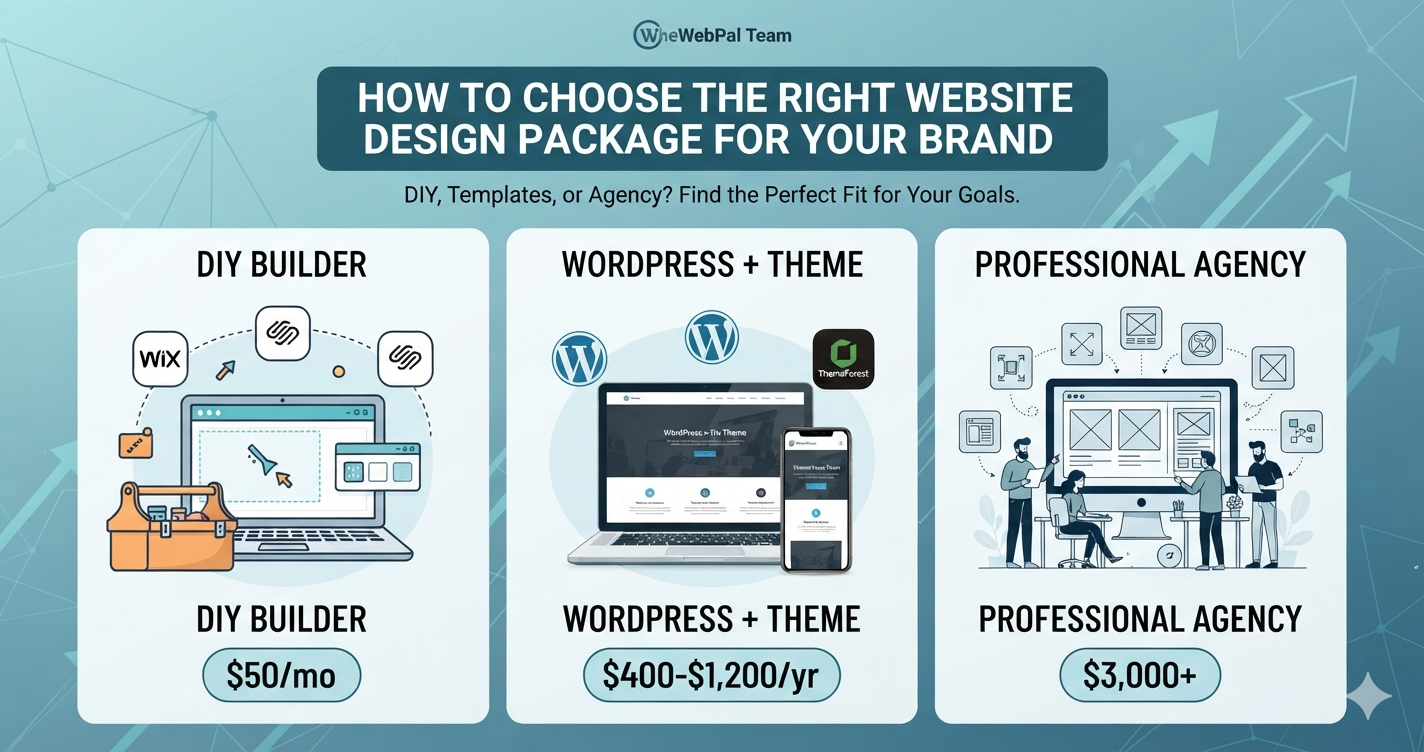
Choosing a website design package is one of the biggest decisions you’ll make for your small business. The right choice gives you a professional online presence that converts visitors into customers. The wrong choice wastes money and leaves you frustrated.
This guide walks you through evaluating design packages, understanding the options (DIY, templates, agencies), and selecting the solution that fits your budget, timeline, and business needs.
The real cost of website design: not just the price tag
Before comparing packages, understand what you’re actually paying for.
What’s included in website design
A complete design package typically involves:
- Discovery and strategy — understanding your business, audience, and goals
- Information architecture — organizing content logically
- Visual design — colors, typography, layout, branding
- User experience (UX) — how visitors navigate and interact
- Responsive design — looks good on mobile, tablet, desktop
- Content creation or migration — writing and organizing your pages
- Technical setup — hosting, domain, SSL, optimization
- Testing and launch — speed testing, cross-browser checking, deployment
Hidden costs to consider
Cheap initial design often means:
- Ongoing maintenance and hosting fees
- Future redesigns when the site looks dated
- Migration costs if you outgrow the platform
- Poor SEO hurting your organic search potential
- Slow loading causing visitor loss
- Security vulnerabilities if not properly built
A $500 design that needs rebuilding in 2 years costs more than a $2,000 design that works for 5+ years.
Your three main options: DIY, templates, or agency
Option 1: DIY website builders
Best for: budget-conscious entrepreneurs, simple brochure sites, quick launches.
How it works: drag-and-drop builder, pre-made templates, hosting included.
Popular platforms: Wix, Squarespace, Weebly, GoDaddy Website Builder.
Pros of DIY builders
- Very low upfront cost ($10-50/month)
- Quick to get live (days, not weeks)
- You have full control
- Easy content updates
- No developer dependency
Cons of DIY builders
- Limited customization and design uniqueness
- Can look “template-y”
- Weak SEO features
- Difficult to migrate to another platform later
- Support limited to help docs and community forums
- Hosting and domain included but may not be best-in-class
Cost range
- Wix: $14/month to start, $27-55 for business plans
- Squarespace: $12-33/month depending on plan
- GoDaddy Website Builder: $4-15/month first year, higher renewal
When to choose DIY
- Budget under $500 total first year
- Simple site (brochure, portfolio, local service)
- You want to manage updates yourself
- Timeline is tight (need it live in days)
- You’re testing a business idea before investing more
Option 2: WordPress with templates/themes
Best for: business owners who want control and growth potential, better SEO, scalability.
How it works: self-hosted WordPress + pre-built theme or custom design, requires hosting.
Popular platforms: Hostinger, SiteGround, Kinsta + ThemeForest themes, StudioPress, Elegant Themes.
Pros of WordPress approach
- More customization than page builders
- Better SEO by default
- Scalable — grows with your business
- Large ecosystem of plugins and extensions
- Professional results without full custom development
- Good balance of cost and capability
Cons of WordPress approach
- Requires hosting knowledge (though managed hosts simplify this)
- More ongoing maintenance than page builders
- Theme customization requires developer for complex changes
- More responsibility for security and backups
- Learning curve for admin interface
Cost range
- Hosting: $10-50/month (managed WordPress) or $5-15/month (standard shared hosting)
- Theme: $0-80 one-time purchase (free, premium themes)
- Plugins: mostly free, some premium $10-100+ per year
- Total first year: $200-800 depending on choices
When to choose WordPress
- Budget $300-1,000 first year
- Want better SEO and growth potential
- Plan to add features (ecommerce, memberships, automation)
- Need a scalable platform
- Like having more control and options
Option 3: Professional agency or freelancer
Best for: serious businesses, complex projects, high-traffic sites, those wanting expert strategy.
How it works: professional designer and developer handle research, design, development, strategy, and launch.
Options: local agencies, remote freelancers (Upwork, Toptal), specialized boutique firms.
Pros of professional design
- Custom design tailored to your brand
- Professional strategy and UX research
- Faster performance and security
- SEO optimization from the start
- Ongoing support and maintenance
- Expertise and trend awareness
- More impressive final product
Cons of professional design
- Significantly higher upfront cost
- Longer timeline (4-12 weeks typical)
- You’re dependent on the designer
- More time required for your input and approval
- Difficult to make changes yourself post-launch (may need to pay for updates)
Cost range
- Freelancer: $1,000-5,000 for basic business site
- Small agency: $3,000-10,000 for quality design
- Established agency: $8,000-25,000+ for premium brand work
- Plus annual maintenance: $500-2,000/year
When to choose professional design
- Budget $3,000+
- Design will significantly impact your business
- You need custom branding and UX
- Complex functionality or integration required
- You don’t have time to learn tools yourself
Design package comparison matrix
| Factor | DIY Builder | WordPress + Theme | Professional Agency |
|---|---|---|---|
| Upfront cost | 💲 Low | 💲💲 Moderate | 💲💲💲💲 High |
| Monthly cost | 💲 $20-50 | 💲💲 $25-50 | 💲💲💲 Included or $500+ |
| Time to launch | Fast (days) | Moderate (weeks) | Slow (months) |
| Design customization | Limited | Good | Excellent |
| SEO capability | Good | Excellent | Excellent |
| Scalability | Limited | Excellent | Excellent |
| Mobile responsiveness | Good | Excellent | Excellent |
| Ease of updates | Very easy | Moderate | Easy (depends on design) |
| Learning curve | None | Moderate | None (they handle it) |
| Ongoing maintenance | Minimal | Moderate | Managed by agency |
| Platform lock-in | High | Low | Low |
How to evaluate a design package
If you’re considering hiring a designer or agency, use this framework to compare options.
1. Define your project scope and goals
Before requesting quotes, be clear about:
- Project type — brochure site, ecommerce, membership site, SaaS
- Core pages needed — how many pages, what content
- Key features — contact form, booking, shopping cart, search, member login
- Timeline — when do you need it live
- Budget — realistic range you’re willing to invest
- Success metrics — what does “good” look like? (leads, sales, authority, signups)
2. Request a proposal with clear deliverables
A professional design package should outline:
- Deliverables — exactly what you’ll receive (# of pages, revisions, hosting setup, etc.)
- Timeline — specific start and launch dates
- Process — discovery, design, development, testing phases
- Support included — free revisions, ongoing support, training
- Price breakdown — what costs what
- Terms — payment schedule, IP ownership, warranty
3. Check their portfolio and references
Look for:
- Relevant examples — similar industry or complexity to yours
- Design quality — visually appealing, professional, on-brand
- Mobile responsiveness — test their portfolio on phone
- Performance — sites load fast, no broken links
- References — client testimonials, case studies, ratings
4. Evaluate communication and fit
- Do they ask good questions about your business?
- Are they easy to communicate with?
- Do they explain things in language you understand?
- Do they propose strategy, not just design?
- Are they responsive to questions?
5. Compare total cost of ownership
Don’t just look at design cost. Calculate:
- Hosting — annual cost
- Maintenance — annual support and updates
- Renewal/refresh — how often does it need updating?
- Migration cost — if you need to switch platforms later
- Scaling cost — what if traffic grows or features expand?
A cheap design may cost more over 5 years.
Website design tools and platforms to consider
Popular website builders with affiliate opportunities
| Platform | Best for | Pricing | Customization |
|---|---|---|---|
| Webflow | Design-forward businesses | $12-38/mo | Excellent |
| Wix | Quick launch, simple sites | $14-55/mo | Limited |
| Squarespace | Portfolio, creative brands | $12-33/mo | Moderate |
| Shopify | Ecommerce focus | $29-299+/mo | Excellent |
WordPress theme and template resources
| Platform | Best for | Price |
|---|---|---|
| ThemeForest | Affordable WordPress themes | $0-80 one-time |
| StudioPress | Professional theme + hosting | $200-800/year |
| Elegant Themes | All-in-one hosting + theme | $89-249/year |
| GeneratePress | Lightweight, fast themes | $199/year |
Design and brand assets
| Platform | Purpose | Why useful |
|---|---|---|
| Canva | DIY graphics and templates | Create graphics yourself, no design skills needed |
| Adobe Creative Cloud | Professional design tools | Industry standard if you want to do design yourself |
| Figma | Design collaboration | Work with designers remotely, free tier available |
| Logo.com | Quick logo design | AI-powered logo generation, fast turnaround |
Step-by-step: choosing your design package
Step 1: Assess your current situation
- Do you have a website? Does it work?
- What’s your budget range?
- How much time can you dedicate?
- Do you want to maintain it yourself?
Step 2: Clarify success metrics
- What will the website help you accomplish? (leads, sales, authority, signups)
- How will you measure success? (forms submitted, sales, newsletter subscribers, phone calls)
- What’s the business impact of failure? (lost revenue, credibility damage)
Step 3: Determine your timeline and features
- When do you need it live?
- Which features are essential vs. nice-to-have?
- Do you need ecommerce, booking, membership, or automation?
- Will you need ongoing updates and additions?
Step 4: Set a realistic budget
- DIY: $300-800 first year
- WordPress + theme: $400-1,200 first year
- Small agency: $3,000-10,000 all-in
- Premium agency: $10,000+
Remember: annual costs add up. A $30/month platform = $360/year. Factor this into long-term budget.
Step 5: Research and compare options
For DIY builders:
- Try Wix, Squarespace, Webflow free trials
- Build a few test pages
- Check mobile experience
- See if you like the interface
For WordPress:
- Choose hosting (Hostinger, SiteGround, Kinsta)
- Browse themes on ThemeForest
- Watch setup tutorials on YouTube
- Estimate total cost
For agencies:
- Request 3-5 proposals
- Compare scope, timeline, price
- Check references and portfolio
- Ask for case studies similar to your project
Step 6: Make your decision
Consider:
- Which option best fits your budget AND timeline?
- Which gives you the result quality you need?
- Which platform allows future growth?
- Which feels like the right fit for your work style?
Common design package mistakes to avoid
Mistake 1: Choosing based on price alone
Cheapest doesn’t mean best value.
A $500 design that needs rebuilding in 2 years costs more than a $2,000 design that lasts 5+ years.
Mistake 2: Not understanding the ongoing costs
Many people pick a DIY builder thinking it’s $50/month, then get surprised by add-ons, domain renewal, theme updates, plugins, and maintenance.
Calculate total cost of ownership for 3 years before committing.
Mistake 3: Picking a platform you can’t grow with
Starting on a platform that doesn’t support your future needs means costly migration later.
If you think you’ll add ecommerce, memberships, or automation, choose a platform that supports these natively (WordPress, Shopify) rather than something restrictive.
Mistake 4: Hiring designers without a clear brief
Vague requests = unclear results = revision cycles and frustration.
Before hiring, write down:
- What the website does
- Who visits it
- What you want them to do
- Key pages and features
- Brand style (colors, vibe, tone)
Mistake 5: Underestimating the value of strategy
Design without strategy is just decoration.
Good design should:
- Communicate your value clearly
- Guide visitors to next step
- Build credibility and trust
- Support your business goals
Don’t hire someone who jumps straight to “color and layout.” They should start with research and strategy.
The hidden value of professional design
If you’re on the fence about hiring a professional, consider:
- Credibility impact — a polished site builds trust faster than a DIY site
- Conversion improvement — professional UX converts more visitors to leads/sales
- Time savings — you spend 20+ hours building or 10 hours communicating with a designer
- Scalability — professional code is easier to expand and maintain
- Longevity — good design lasts 5+ years vs. templates that look dated in 2-3 years
- Peace of mind — someone else handles the technical details
For many small businesses, the ROI of professional design pays back in improved leads or sales within 6-12 months.
Making the final decision
If you answered “yes” to most of these, choose DIY:
- Very tight budget (under $500 first year)
- Simple website (5-8 pages)
- Non-critical to business success
- You like learning new tools
- Fast launch more important than perfect design
If you answered “yes” to most of these, choose WordPress + theme:
- Budget $400-1,500 first year
- Want professional results without full custom development
- Plan to update content regularly yourself
- May add features like ecommerce or automation later
- Want better SEO and scalability than page builders
If you answered “yes” to most of these, hire a professional:
- Design significantly impacts your revenue
- Budget $3,000+
- Want custom strategy, not templates
- Need complex features or integration
- Don’t have time to learn tools or manage setup
- Timeline allows 4-12 weeks
Next steps
- Clarify your goals — what does success look like?
- Set your budget — total cost of ownership for 3 years
- Choose your path — DIY, theme, or agency
- Start with a trial or proposal — test before full commitment
- Launch and measure — track leads, conversions, and traffic
Ready to improve or redesign your website? Contact TheWebPal for a free design audit, platform recommendation, or package estimate tailored to your business.