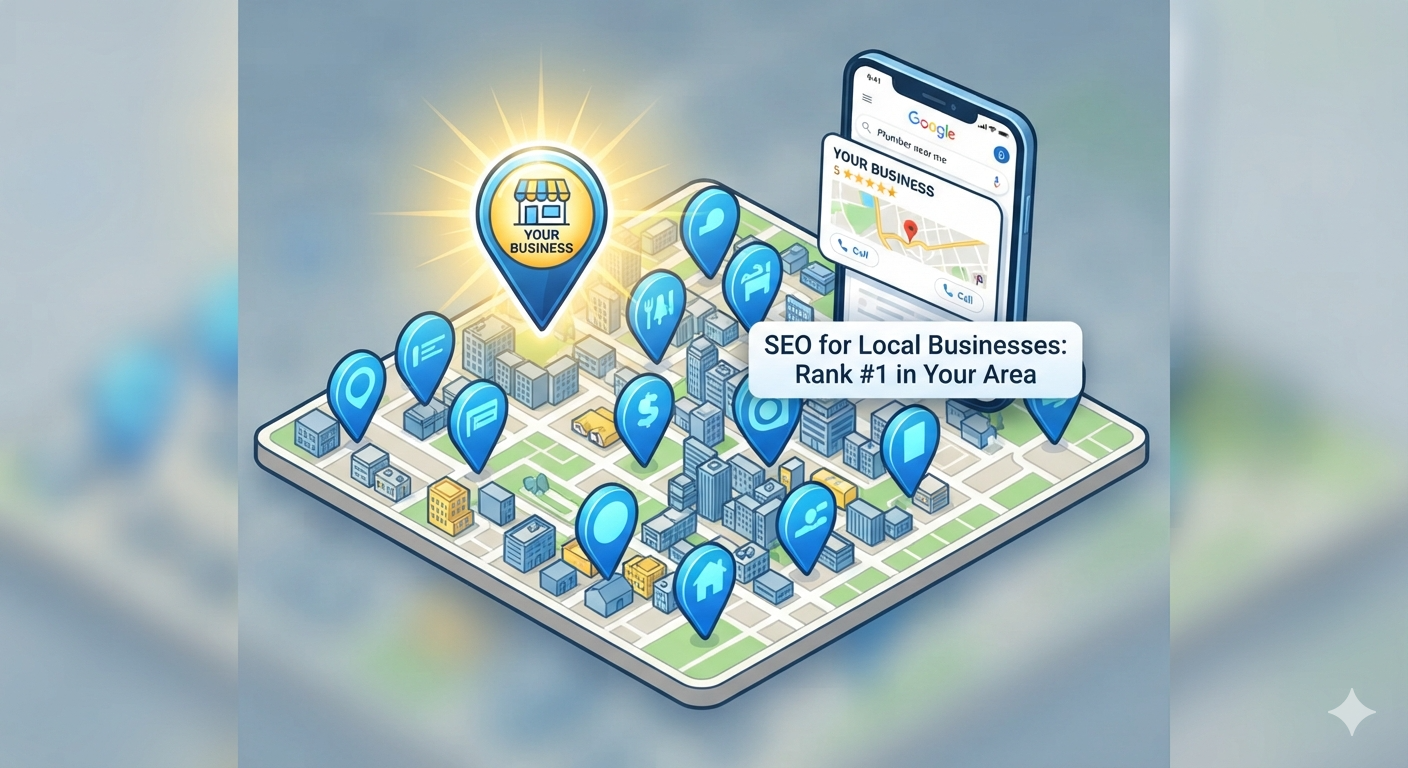
Most local business searches happen on Google. When someone searches “plumber near me,” “dentist in [city],” or “best coffee shop downtown,” the businesses that appear in the local pack and Google maps own those leads.
Local SEO is the practice of optimizing your online presence so customers in your area find you when they search. Unlike general SEO that targets nationwide audiences, local SEO is hyper-focused: reach customers actively looking for your services, right now, in your location.
The good news? Local SEO is simpler than national SEO. You don’t need to compete with Fortune 500 companies for keywords. You just need to dominate your local market.
This guide walks you through the essential local SEO steps that actually work for small businesses.
Why local SEO matters more than national SEO for small businesses
Local searches have high intent
When someone searches “best Italian restaurant,” they’re browsing for ideas. When someone searches “Italian restaurant near me,” they’re ready to call and make a reservation.
Local searches = ready-to-buy traffic.
Local SEO is less competitive
National SEO requires competing against huge brands with huge budgets. Local SEO lets you compete against 5-10 local competitors.
Your business is local (even if you serve online)
Even if you serve clients regionally or nationally, most customers still search locally first. They want to know you’re real, nearby, and trustworthy.
Local search volume is growing
More people search “near me” every year. Mobile devices made local search essential.
The three pillars of local SEO
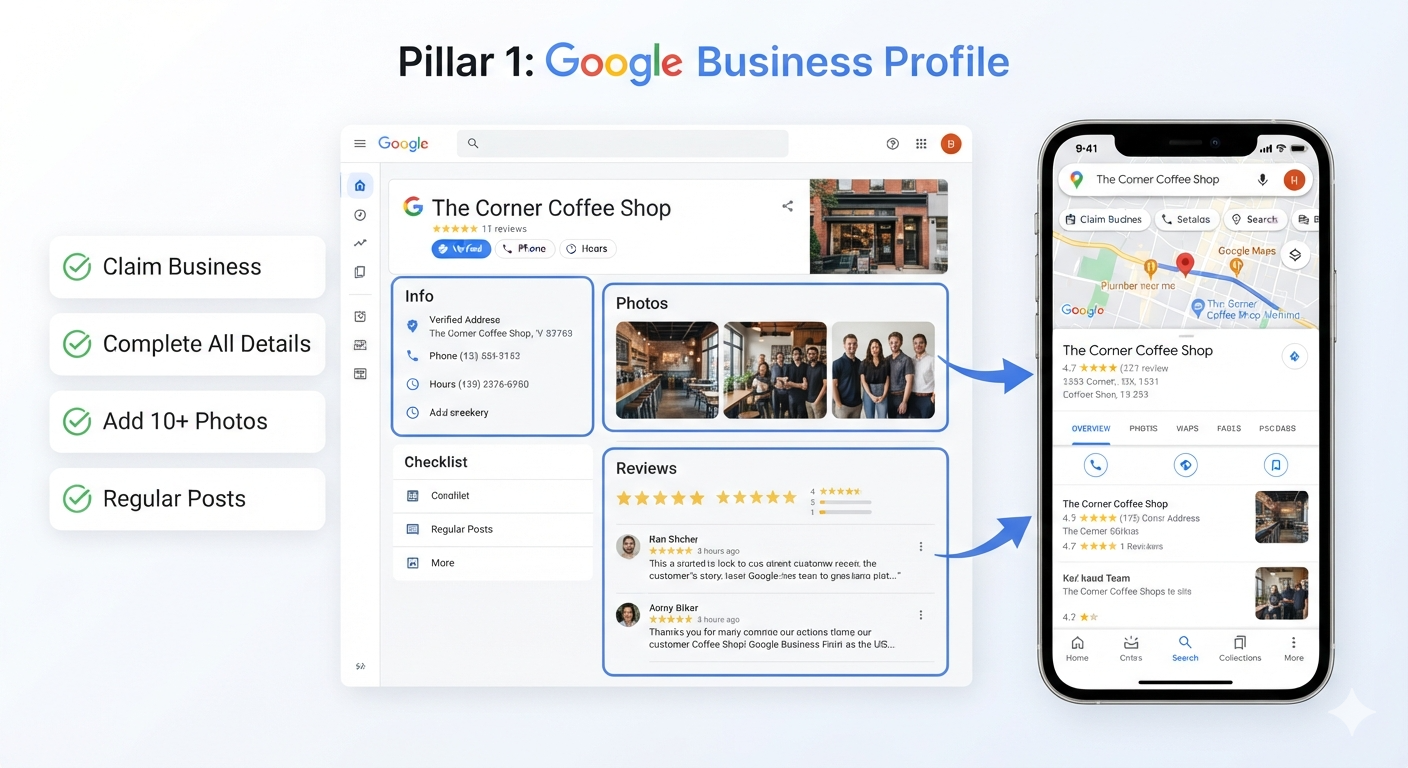
Pillar 1: Google Business Profile
Your Google Business Profile (formerly Google My Business) is the most important local SEO asset you have.
A complete, optimized Google Business Profile gets you:
- Visibility in local search results
- Placement on Google Maps
- A business card in search results with hours, phone, website
- Customer reviews and Q&A
- Posts and updates that show up in search
Pillar 2: On-page SEO and website optimization
Your website needs to tell Google where you are and what you do.
This means:
- Local keywords in your content
- Clear business info (name, address, phone)
- City/neighborhood pages if serving multiple areas
- Schema markup that helps Google understand your location
Pillar 3: Local authority and reputation
Google trusts businesses with:
- Google and online reviews
- Local citations (business directories)
- Backlinks from local websites
- Social media presence
- Customer testimonials
Pillar 1: Claim and optimize your Google Business Profile
Step 1: Claim your business on Google
If you haven’t already, claim your business on Google:
- Go to Google Business Profile
- Search for your business name
- Click “Claim this business”
- Verify ownership (Google sends a postcard to your address, or verifies via phone/email)
This takes 5 minutes but is critical.
Step 2: Complete all profile information
A complete profile ranks better and helps customers find you. Fill in:
Business basics
- Business name — exactly as it appears legally
- Service area — where you serve (individual cities or radius)
- Category — primary business category (plumber, dental office, restaurant, etc.)
- Phone number — your main business line
- Website — your website URL
- Address — your street address (if you have a physical location)
Hours of operation
- Add accurate hours for every day
- Add special hours for holidays
- Update if hours change seasonally
Description
Write a 200-300 character description that includes your main keyword and value proposition.
Example for a plumber: “Emergency plumbing repairs, drain cleaning, and water heater services in Denver. Licensed, insured, available 24/7.”
This shows up in search results and tells people what you do.
Photos and videos
Add:
- Your storefront or office
- Team photos
- Before/after photos of your work
- Products or services in action
- Team at work
At least 10-15 photos tell a more complete story.
Business services (if applicable)
Check off services you offer:
- Emergency appointments available
- Accepts mobile payments
- Offers delivery
- Has parking
- Online consultations available
Website links
Add deep links to:
- Contact page
- Services page
- Booking or appointment page
- Blog or resources
This helps people find specific info faster.
Step 3: Encourage and respond to reviews
Reviews are a ranking factor and a trust signal.
How to get reviews:
- Ask customers in person — provide a QR code or link
- Send follow-up emails — include a Google review link after service
- Add to your website — show a Google review widget
- Follow up with unsatisfied customers — fix problems, then ask for a review
How to respond to reviews:
- Respond to every review — even negative ones
- Be professional and kind — thank positive reviewers, address concerns in negatives
- Respond within 2-3 days — shows you’re active
- Use reviews as feedback — fix real problems people mention
Google favors businesses with regular, recent reviews. A business with 50 reviews from 2020 is less trusted than one with 10 reviews from this month.
Step 4: Use Google Posts
Google Posts let you share updates, events, offers, and news directly from your profile.
Post:
- Seasonal promotions or discounts
- New services or products
- Team announcements
- Local events you’re sponsoring
- Links to blog content
Posts show up in Google Business Profile and can appear in local search results.
Pillar 2: On-page SEO for local businesses
Your website needs to signal location and relevance to Google.
Add local keywords to your website
Local keywords include your city/neighborhood + your service.
Examples:
- “Dentist in Denver”
- “Best coffee in Brooklyn”
- “Plumbing repairs near Austin”
- “Wedding photographer in Portland”
Create location-specific pages
If you serve multiple cities or neighborhoods, create a dedicated page for each:
- Main location page (homepage focus)
- “Serving [City 1]” page
- “Serving [City 2]” page
- “[Neighborhood]” service page
Each page should have:
- Local keyword in title and heading
- Description of what you offer in that area
- Local authority signals (local events, landmarks, partnerships)
- Contact info for that location
- Google Maps embed showing the area
Optimize your homepage for local search
Your homepage should clearly state:
- What you do — your service category
- Where you are — your city/area
- Why you’re local trusted — reviews, awards, years in business
Example for a local business:
“[Your Name] is a family-owned plumbing company serving Denver for 20 years. We provide emergency repairs, drain cleaning, and water heater services. 500+ satisfied customers. Available 24/7. Call now.”
This homepage tells Google:
- Business type (plumbing)
- Location (Denver)
- Authority (20 years, 500+ customers)
- Availability (24/7)
Add schema markup for local business
Schema markup is code that tells Google your business details.
Add to your homepage and contact page:
{
  "@context": "https://schema.org",
  "@type": "LocalBusiness",
  "name": "[Your Business Name]",
  "address": {
    "@type": "PostalAddress",
    "streetAddress": "[Your Address]",
    "addressLocality": "[City]",
    "addressRegion": "[State]",
    "postalCode": "[ZIP]",
    "addressCountry": "US"
  },
  "telephone": "[Your Phone]",
  "url": "[Your Website]",
  "image": "[Your Logo]",
  "geo": {
    "@type": "GeoCoordinates",
    "latitude": "[Your Latitude]",
    "longitude": "[Your Longitude]"
  }
}
Most WordPress SEO plugins (Yoast, RankMath) can add this automatically.

Pillar 3: Build local authority and citations
What are local citations?
A citation is a mention of your business name, address, and phone number on other websites.
Citations tell Google “this business is real and established.”
NAP consistency
NAP = Name, Address, Phone.
Critical rule: Your NAP must be identical everywhere online.
If your Google Business Profile says “John’s Plumbing Inc.” but your Yelp says “Johns Plumbing,” Google gets confused.
Fix:
- Decide on official business name
- Use that exact name everywhere (Google, Yelp, directories, website, etc.)
- Use same address and phone format
Submit to local directories
Build citations on these platforms:
High-authority directories:
- Google Business Profile (already done)
- Yelp
- Apple Maps
- TripAdvisor (if restaurant, hotel, attraction)
- Better Business Bureau (BBB)
- Nextdoor
Industry-specific directories:
- Healthgrades or Zocdoc (healthcare)
- AVVO (legal)
- Avast or Trustpilot (software/services)
- Local chamber of commerce websites
Local directories:
- City/region business directories
- Local news websites
- Community websites
- Neighborhood guides
How to submit to directories
- Search Google for “[your city] business directory”
- Visit top directories
- Click “Add business” or “Claim business”
- Fill in your complete info with consistent NAP
- Verify and activate
Most are free to list. Prioritize high-authority directories (BBB, Yelp, TripAdvisor).
Build local backlinks
Backlinks (links from other websites to yours) are a ranking factor.
Ways to get local backlinks:
- Partner with local businesses — if you know other business owners, link to each other
- Join local organizations — chamber of commerce, business association websites link to members
- Sponsor local events — get mentioned on event websites
- Contact local media — get quoted in local news; they link to your site
- Local networking — attend meetups, get introduced, mention in articles
- Guest post on local blogs — write for city guide blogs, community blogs
Local SEO tools and resources
Tools for tracking and optimization
Google Search Console (free)
Shows you:
- Keywords you rank for
- How many clicks you get
- Your local search ranking
- Mobile usability issues
- Indexing problems
Why it matters: tells you what’s working and what needs improvement.
Google Analytics 4 (free)
Shows you:
- How many visitors from local search
- Which keywords bring traffic
- Conversion rate (calls, form submissions)
- User behavior on your site
Affiliate tip: Recommend Google Analytics 4 in local SEO guides.
Semrush Local SEO Tool (paid)
Tracks:
- Local search rankings
- Competitor analysis
- Citation monitoring
- Review management
Cost: $140-450/month depending on plan
Affiliate opportunity: Semrush has generous affiliate program.
Ahrefs (paid)
Comprehensive SEO tool with:
- Keyword research for local keywords
- Backlink analysis
- Competitor research
- Rank tracking
Cost: $99-399/month
Affiliate opportunity: Ahrefs affiliate program available.
Yoast SEO or RankMath (free or paid WordPress plugins)
Both help with:
- Local keyword optimization
- Schema markup for local business
- Content guidance
Already covered in Post 3: Top WordPress Plugins & Tools.
Local SEO setup checklist
- Claim and optimize Google Business Profile
- Add photos and business info to profile
- Encourage customers to leave reviews
- Add local keyword to homepage and main pages
- Create location-specific pages (if multi-location)
- Add local schema markup
- Ensure NAP consistency across website
- Submit to 10+ local directories
- Get backlinks from local websites
- Set up Google Search Console
- Set up Google Analytics 4
- Create a review collection process
- Respond to all reviews
- Publish local content (blog posts, videos)
Local SEO strategy by business type
Service-based businesses (plumber, electrician, accountant, lawyer)
Priority 1: Google Business Profile with service area Priority 2: “Serving [City]” pages on website Priority 3: Build reviews and reputation
Best keywords:
- “[Service] in [City]”
- “[Service] near me”
- “Emergency [Service] [City]”
Retail and restaurants
Priority 1: Google Business Profile with photos and hours Priority 2: Yelp optimization Priority 3: Local inventory and menu visibility
Best keywords:
- “[Type] in [City]”
- “Best [Type] [City]”
- “[Your Business Name]”
Healthcare (doctors, dentists, therapists)
Priority 1: Healthgrades, ZocDoc, or similar industry directories Priority 2: Google Business Profile Priority 3: Patient reviews and testimonials
Best keywords:
- “[Specialty] in [City]”
- “[Doctor Name] near me”
- “Best [Specialty] [City]”
Multi-location businesses
Priority 1: Main Google Business Profile for head office Priority 2: Separate profiles for each location Priority 3: Location pages on website Priority 4: Manage all locations with centralized software
Local content strategy
Content helps you rank and builds authority.
Blog post ideas for local SEO
- “Top 5 [neighborhood names] restaurants”
- “[Your City] business owner interview series”
- “Local events happening this month in [City]”
- “Your complete guide to shopping in [neighborhood]”
- “Meet our team — local professionals in [City]”
- “[Your service] costs in [City] — 2026 pricing guide”
- “Why choose a local [service provider] vs. national chains”
- “Local spotlight: [Partner business]”
These posts:
- Target local keywords
- Attract local backlinks and social shares
- Build local authority
- Show you’re invested in your community
YouTube videos for local business
Videos rank well in local search.
Video ideas:
- Office tour
- Customer testimonial
- Service/product demonstration
- Q&A addressing common questions
- Local event coverage
- Day-in-the-life content
Optimize for local:
- Use location in title and description
- Add your service area
- Encourage locals to subscribe
The relationship between hosting speed and local SEO
Here’s something many local SEO guides miss: your hosting speed impacts ranking.
Google’s ranking factors include page speed. A slow website hurts your rankings in both local and national search.
For local businesses:
- Choose hosting with fast servers in your region
- Implement caching (WP Rocket, LiteSpeed Cache)
- Use a CDN to serve content faster
- Optimize images and code
Read more in our hosting guide for performance recommendations.
Local SEO quick wins (do these first)
If you only have 2 hours to improve local SEO:
-
Claim Google Business Profile (15 min)
- Huge ranking impact
- Takes 5 minutes to claim, 10 min to fill in info
-
Add photos and complete profile (30 min)
- Take 10-15 photos of your business, team, work
- Upload to profile
-
Ask 5 customers for reviews (30 min)
- Send text or email with Google review link
- Offer thank you incentive (not money; that’s against policy)
-
Add local schema markup (20 min)
- Use WordPress plugin or add code
- Tells Google your business info
-
Submit to 3 major directories (25 min)
- Google Business Profile (done)
- Yelp
- Better Business Bureau
Time investment: 2 hours Impact: 30-50% improvement in local visibility (realistic)
Local SEO frequently asked questions
How long does local SEO take to work?
Local SEO is faster than national SEO.
- Quick wins (Google Business Profile optimization) — results in 1-4 weeks
- Medium-term (reviews, citations, content) — results in 2-3 months
- Long-term (authority building) — 6-12 months for maximum ranking
Is Google Maps optimization separate from Google Business Profile?
No. Optimizing your Google Business Profile directly improves your Google Maps visibility.
Maps results pull from the same data as your profile.
Can I pay for local SEO results?
No, not with local organic search. However:
- Google Local Services Ads (paid, leads-based)
- Google Local Ads (paid search ads in local results)
- These are complements to organic local SEO
Do I need a physical location to do local SEO?
Not necessarily. Service-area businesses can use local SEO with a service radius and no storefront.
However, a physical address helps rankings, so use your office or home address if you have one.
How important are reviews for local SEO?
Very important. Reviews signal:
- Customer satisfaction
- Business activity
- Trust and authority
Businesses with more recent, positive reviews rank higher.
Should I respond to negative reviews?
Yes. Responding professionally to negative reviews shows you care about customers and handle complaints well.
Google factors review responses into rankings and displays them to potential customers.
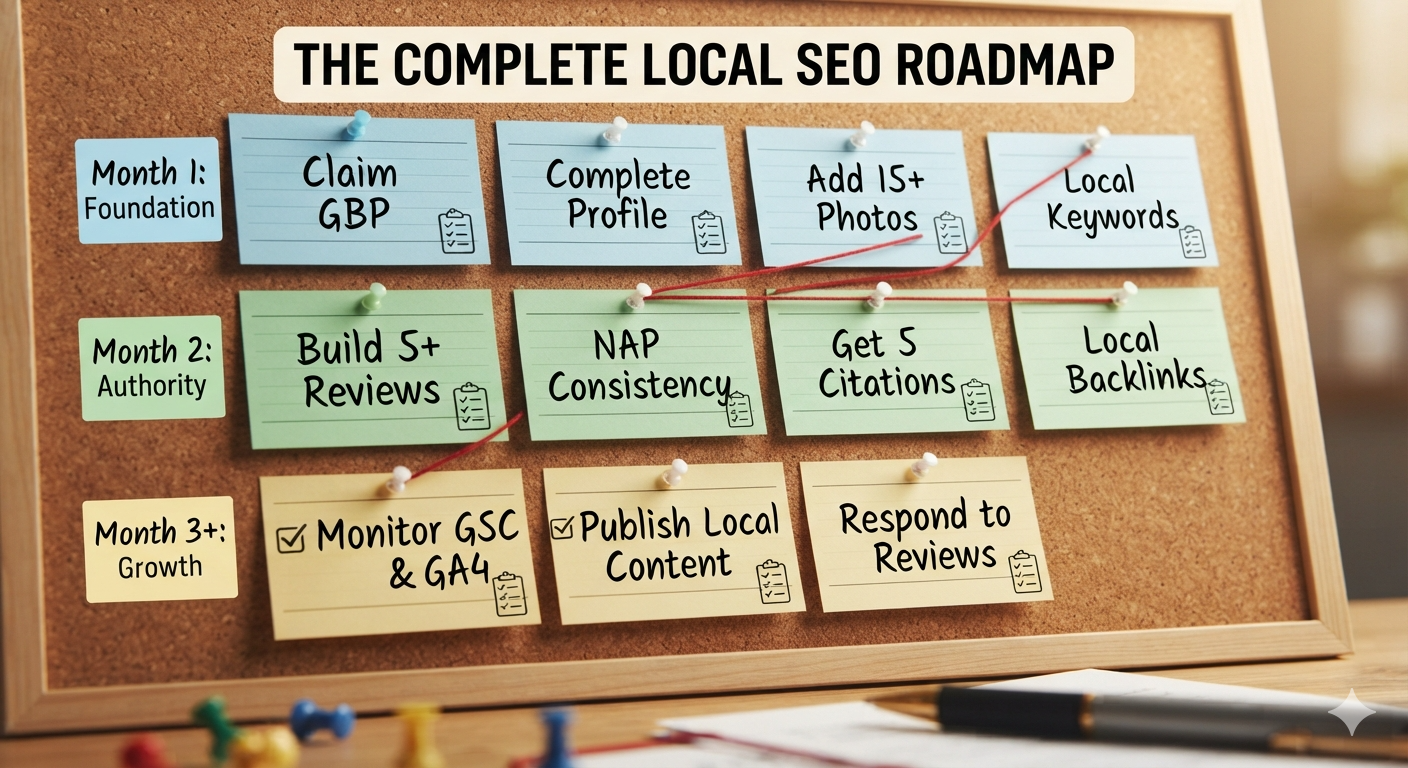
The complete local SEO roadmap
Month 1: Foundation
- Claim Google Business Profile
- Complete all profile information
- Add 15+ photos
- Add local keywords to website
- Create “[Location] services” pages
- Set up Google Search Console and Analytics
Month 2: Authority
- Submit to 10+ local directories
- Add schema markup to website
- Build 5+ customer reviews
- Reach out to 5 local businesses for backlinks
- Publish 2 local blog posts
Month 3+: Growth
- Monitor rankings and traffic
- Respond to all reviews
- Publish local content regularly
- Build more local citations and backlinks
- Test and optimize local ad campaigns
Tools for local SEO (affiliate-friendly recommendations)
| Tool | Purpose | Cost |
|---|---|---|
| Google Search Console | Rank tracking, keyword research | Free |
| Google Analytics 4 | Visitor analysis, conversion tracking | Free |
| Semrush Local SEO Tool | Local rank tracking, competitor analysis | $140+/month |
| Ahrefs | Keyword research, backlink analysis | $99+/month |
| Yoast SEO or RankMath | WordPress SEO optimization | Free or $39+/year |
| WP Rocket | Website speed optimization | $39+/year |
| Nextdoor Business | Local community marketing | $5-20/day |
Final local SEO checklist
Before moving to the next step, confirm:
- Google Business Profile claimed and optimized
- 10+ customer reviews collected
- NAP consistent across all directories
- Local keywords added to website
- Schema markup implemented
- At least 5 local citations created
- Google Search Console set up
- Analytics tracking local traffic
- Local backlink outreach started
- Review response process in place
Ready to grow with local SEO?
Local SEO is one of the best ROI marketing channels for small businesses. Unlike paid ads, once you rank locally, you get free traffic indefinitely.
Start with these three steps:
- Optimize your Google Business Profile
- Collect customer reviews
- Submit to local directories
Then deepen your strategy with content, authority building, and monitoring.
Need help with local SEO strategy or execution? Contact TheWebPal for a free local SEO audit, keyword research, or optimization plan tailored to your business and market.