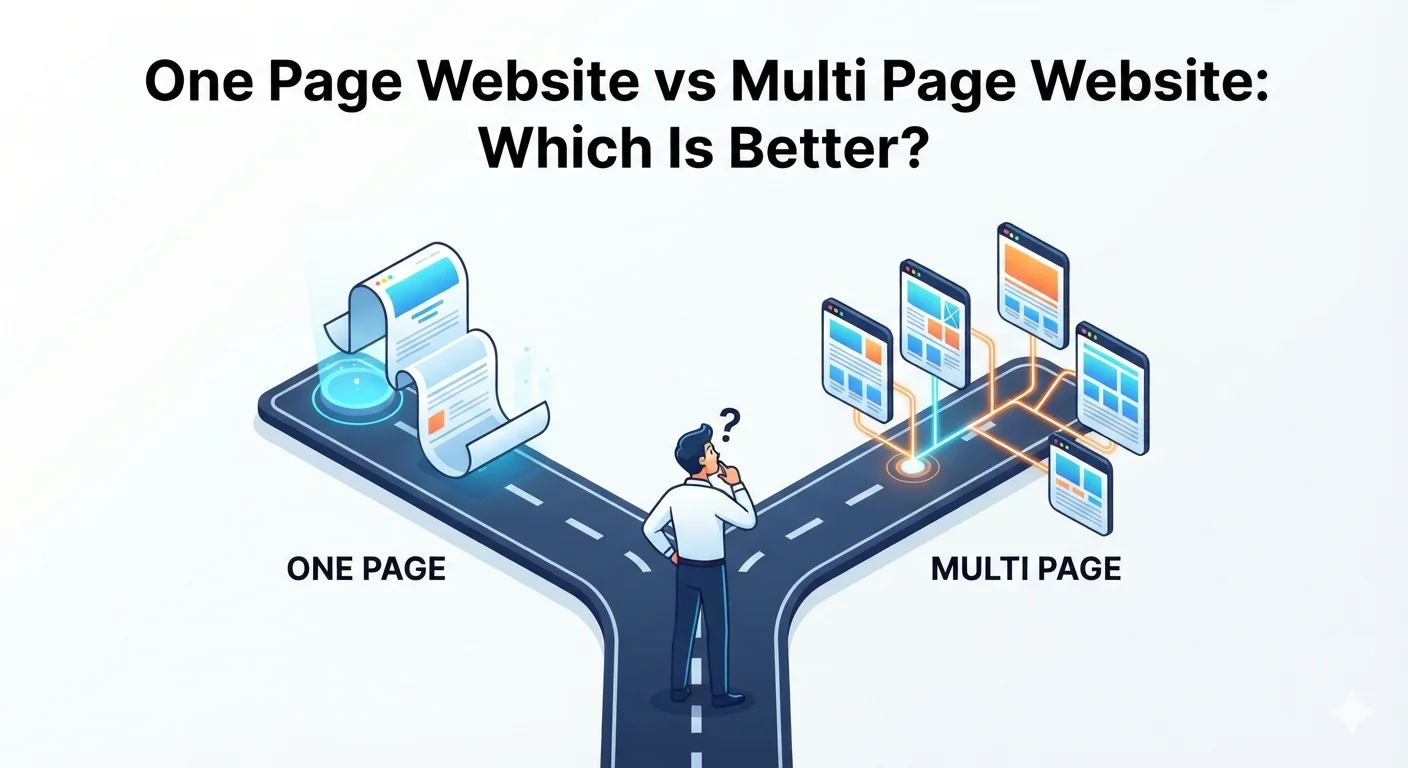
Should your business website be one page or multiple pages?
This is one of the first decisions small business owners make when planning a new website.
A one page website can be simple, fast, affordable, and easy to launch. A multi page website gives you more room for SEO, service details, blog content, trust building, and long-term growth.
Neither option is always better.
The right choice depends on your business stage, services, budget, SEO goals, and how much information visitors need before contacting you.
This guide compares one page websites vs multi page websites so you can choose the best structure for your business.
Quick answer: which is better?
Choose a one page website if you have a simple offer, limited budget, short timeline, and do not need to rank for many keywords.
Choose a multi page website if you offer multiple services, care about SEO, need detailed content, want a blog, or want your website to generate leads over time.
For most growing small businesses, a multi page website is the better long-term choice.
Simple comparison
| Factor | One page website | Multi page website |
|---|---|---|
| Cost | Lower | Higher |
| Time to launch | Faster | Slower |
| SEO potential | Limited | Stronger |
| Best for | Simple offers | Growing businesses |
| Content depth | Limited | Detailed |
| Navigation | Very simple | More structured |
| Lead generation | Good for one offer | Better for multiple services |
| Scalability | Limited | Better |
| Maintenance | Easier | More involved |
If you only need an online business card, one page can work. If your website should bring traffic and leads, multi page usually wins.
What is a one page website?
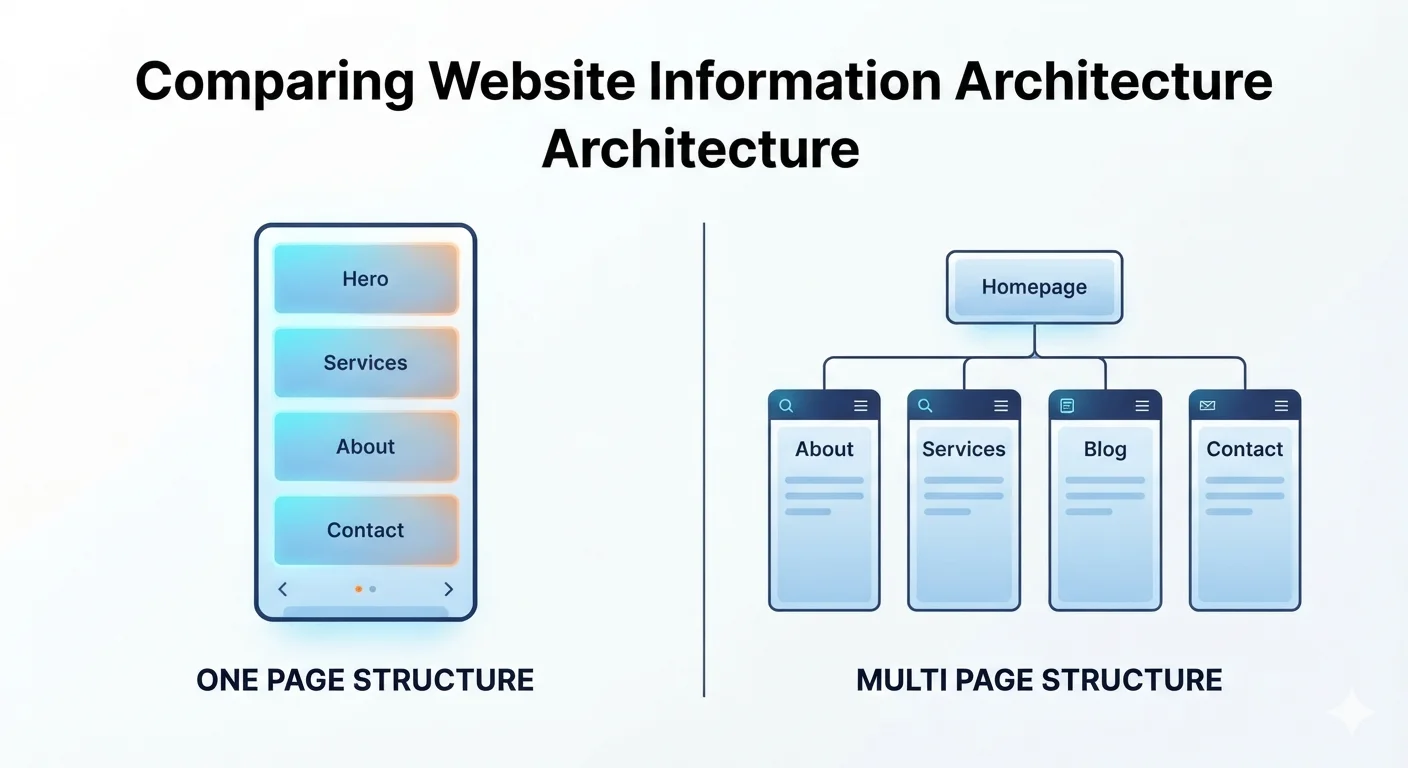
A one page website puts all important information on a single page.
Instead of separate pages for About, Services, Portfolio, and Contact, everything appears on one long scrolling page.
The navigation links usually jump to sections on the same page:
- Hero
- About
- Services
- Portfolio
- Testimonials
- FAQ
- Contact
Common one page website sections
A typical one page business website includes:
- Header/navigation
- Hero section
- Short introduction
- Service summary
- Benefits
- Testimonials
- Portfolio preview
- FAQ
- Contact form
- Footer
This structure is clean and easy to understand.
Best use cases for one page websites
One page websites work well for:
- Personal portfolios
- Event landing pages
- Simple local businesses
- Freelancers with one core service
- Consultants with one offer
- Startup MVPs
- Coming soon pages
- Campaign landing pages
- Small service businesses testing demand
If visitors can understand your offer quickly, one page may be enough.
What is a multi page website?
A multi page website separates content into different pages.
For example:
- Homepage
- About
- Services
- Individual service pages
- Portfolio
- Blog
- Contact
- FAQ
- Pricing
This structure gives each topic its own space.
Common multi page website structure
A small business multi page website may include:
//about/services/services/web-design/services/seo/portfolio/blog/contact
This helps users and search engines understand the site better.
Best use cases for multi page websites
Multi page websites work best for:
- Small businesses with multiple services
- Agencies
- Clinics
- Schools
- Ecommerce stores
- Consultants with several offers
- Local businesses targeting SEO
- Companies with case studies
- Businesses publishing blog content
- Brands that need long-term growth
If your website needs to educate, rank, persuade, and convert different types of visitors, multi page is stronger.
One page website pros
1. Lower cost
One page websites usually cost less because there are fewer layouts, less content, and fewer pages to build.
If your budget is tight, this can be a practical starting point.
2. Faster launch
A one page site can launch quickly.
This is useful if:
- You need a website immediately
- You are testing a new business
- You have a simple service
- You do not have much content yet
3. Simple user experience
Visitors scroll through one guided story.
They do not need to click around or choose between many pages.
This can work well for a single offer or focused campaign.
4. Easy maintenance
With one page, there is less to update.
You can change your service description, contact form, or testimonials in one place.
5. Strong focus
A one page website can keep attention on one main goal.
Examples:
- Book a consultation
- Join a waitlist
- Request a quote
- Download a guide
- Register for an event
When there is one offer and one CTA, a one page layout can convert well.
One page website cons
1. Limited SEO potential
This is the biggest weakness.
A one page website can usually target only a small number of keywords effectively.
If you offer web design, SEO, ecommerce, hosting, and maintenance, one page cannot fully optimize for each topic.
Search engines prefer clear, specific pages for specific topics.
2. Not enough depth for serious buyers
Some visitors need detail before contacting you.
They may want to know:
- What is included?
- How much does it cost?
- What is the process?
- Have you done similar work?
- Do you offer support?
- What makes you different?
One page may not provide enough space to answer all questions properly.
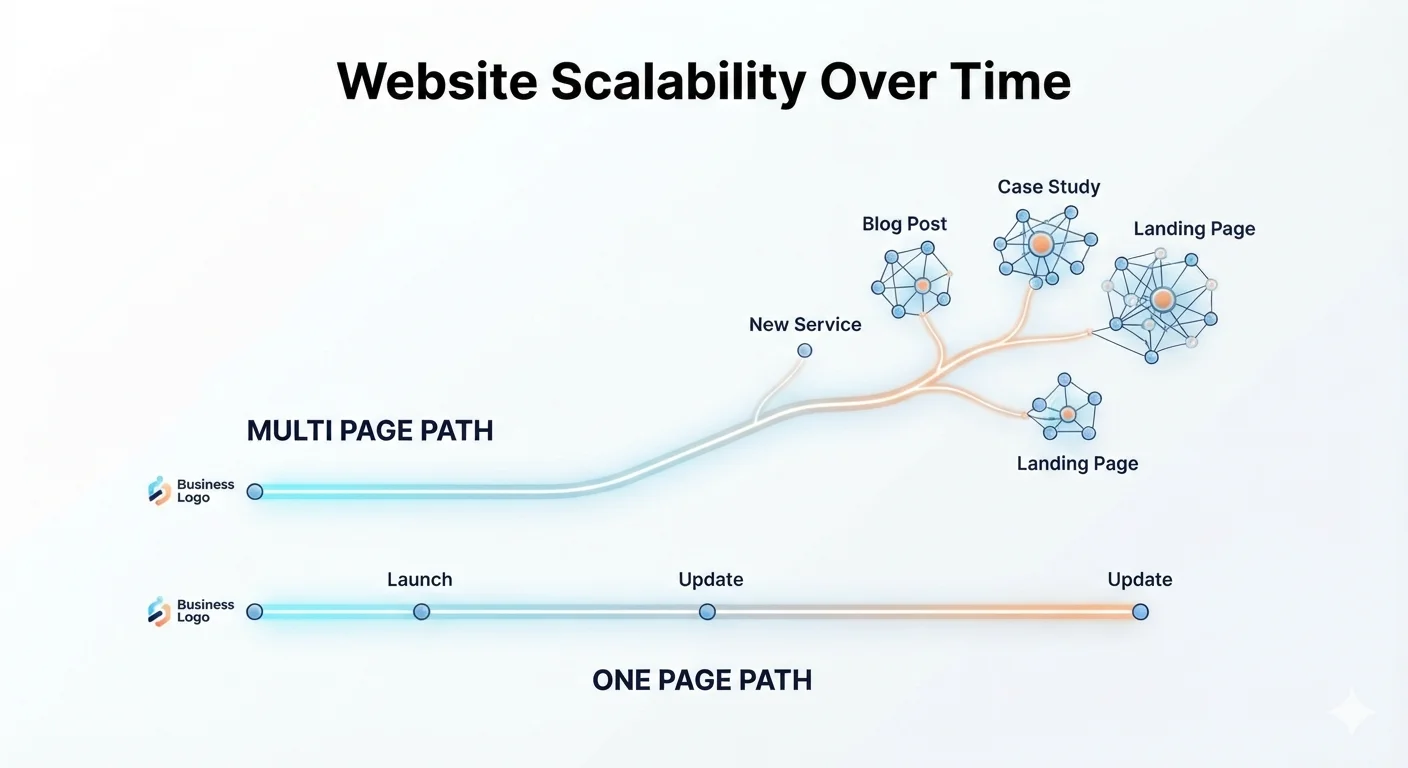
3. Harder to scale
As your business grows, one page can become crowded.
You may start adding more sections until the page feels too long, slow, and hard to scan.
At that point, a multi page structure becomes necessary.
4. Weaker internal linking
Internal links help users and search engines move through related content.
A one page site has fewer internal linking opportunities.
This limits your ability to build topic clusters and SEO authority.
5. Less flexible for marketing
If you run ads, SEO campaigns, email campaigns, or content marketing, you often need dedicated landing pages.
A one page website may not give you enough flexibility.
Multi page website pros
1. Stronger SEO foundation
Multi page websites are better for SEO because each page can target a specific topic or keyword.
Example:
- Homepage: web design agency
- Service page: small business website design
- Service page: local SEO services
- Blog post: small business website cost
- Blog post: why your website is not getting leads
This structure gives Google more context and gives visitors more useful entry points.
2. More room for service details
Each service can have its own page with:
- Benefits
- Deliverables
- Process
- Timeline
- FAQs
- Testimonials
- CTA
This helps visitors make decisions.
3. Better for lead generation
Multi page websites let you create different conversion paths.
Examples:
- SEO visitors go to the SEO service page
- Redesign visitors go to the redesign page
- Ecommerce visitors go to ecommerce development
- Blog readers go to related service pages
The more relevant the page, the better the chance of conversion.
4. Easier to build trust
You can create dedicated pages for:
- About
- Portfolio
- Case studies
- Testimonials
- FAQs
- Blog
This gives visitors more reasons to trust you.
5. Better long-term growth
A multi page website can grow with your business.
You can add:
- New services
- Location pages
- Blog posts
- Case studies
- Landing pages
- Product pages
- Knowledge base articles
This makes it better for content marketing and SEO clusters.
Multi page website cons
1. Higher cost
More pages mean more planning, writing, design, and development.
You may need a bigger budget for:
- Sitemap planning
- Copywriting
- Custom layouts
- SEO setup
- Internal linking
- Testing
Read the full pricing guide: How Much Does a Small Business Website Cost in 2026?
2. Longer timeline
A multi page website takes longer to plan and launch.
Content is often the biggest delay.
If you need 10 service pages but no one has written the content, the project can slow down quickly.
3. More maintenance
More pages require more updates.
You need to keep:
- Service descriptions accurate
- Pricing updated
- Blog posts fresh
- Forms working
- Links valid
- SEO metadata current
This is manageable, but it needs a process.
4. Can become confusing without structure
A multi page site needs clear navigation.
If pages are scattered or menus are messy, visitors may not find what they need.
Good structure matters.
SEO comparison: one page vs multi page
For SEO, multi page websites usually win.
That does not mean a one page site cannot rank. It can rank for brand searches or a focused local keyword. But it is limited.
One page SEO limitations
A one page site has only one:
- Page title
- Meta description
- Main URL
- H1
- Core topic
You can include multiple sections, but one page cannot deeply target many different search intents.
Multi page SEO advantages
A multi page site can create separate optimized pages for:
- Each service
- Each location
- Each product
- Each case study
- Each blog topic
- Each customer problem
This is essential for SEO clusters.
Example Cluster 1:
- Business website features
- Website cost
- Website not getting leads
- Website redesign checklist
- One page vs multi page website
Each post targets a different keyword and supports the broader website design topic.
SEO recommendation
Choose one page if SEO is not a priority yet.
Choose multi page if you want organic traffic from Google.
Related: SEO for Local Businesses: Simple Steps to Rank and Get More Leads
Conversion comparison: one page vs multi page
Conversion depends on the offer.
A one page website can convert well when the offer is simple.
A multi page website converts better when the buyer needs more information.
One page conversion works when:
- There is one main offer
- The audience is already warm
- The decision is low-risk
- The page has strong proof
- The CTA is clear
- The content is not too long
Example:
A consultant offering one free strategy call can use a one page website effectively.
Multi page conversion works when:
- Services are complex
- Pricing varies
- Buyers compare options
- Trust matters
- SEO traffic enters from different topics
- Visitors need case studies or FAQs
Example:
A web design agency offering websites, SEO, ecommerce, and software development needs multiple pages.
Conversion recommendation
If your offer is simple, one page can work.
If your business has multiple services or high-ticket offers, multi page is better.
Related: Website Conversion Best Practices: Turn Visitors into Customers
Cost comparison
One page websites are cheaper because they require less content and fewer layouts.
Multi page websites cost more because they require more planning and production.
Typical cost ranges
| Website type | Typical cost |
|---|---|
| DIY one page website | $0-$500 |
| Professional one page website | $500-$2,500 |
| Small multi page website | $1,500-$6,000 |
| Professional multi page website | $3,000-$12,000 |
| SEO-focused multi page website | $5,000-$15,000+ |
| Custom multi page website or app | $10,000-$50,000+ |
Cost depends on content, design, platform, SEO, and features.
Budget recommendation
Start with one page if:
- Your business is new
- Budget is very limited
- You need to launch quickly
- You have one core offer
Invest in multi page if:
- Your business is established
- You need SEO
- You offer multiple services
- You want leads from Google
- Your website supports sales
Which is better for small businesses?
Most small businesses should eventually have a multi page website.
But not every business needs one immediately.
Choose a one page website if:
- You are just starting
- You have one service
- You have little content
- You need a quick online presence
- You do not rely on Google traffic yet
- You want a simple landing page
- You have a small budget
Choose a multi page website if:
- You offer multiple services
- You want to rank on Google
- You serve multiple customer types
- You need a blog
- You have testimonials or case studies
- You want better lead generation
- You need dedicated service pages
- You plan to grow content over time
Practical advice
If you are unsure, start with a small multi page website:
- Homepage
- About
- Services
- One service detail page
- Contact
- Blog
This gives you flexibility without making the project too big.
Best structure for a one page website
If you choose one page, structure it carefully.
Recommended one page layout
- Header with CTA
- Hero section
- Problem section
- Services or offer
- Benefits
- Process
- Portfolio or proof
- Testimonials
- FAQ
- Contact form
- Footer
One page SEO tips
- Use one clear primary keyword
- Keep headings organized
- Add internal section links
- Optimize page title and meta description
- Compress images
- Add FAQ content
- Include local keywords if relevant
- Make the CTA visible throughout
One page CTA tips
Repeat your CTA after important sections.
Use:
- Get a free consultation
- Request a quote
- Book an appointment
- Get a free audit
Do not wait until the bottom of the page to ask for action.
Best structure for a multi page website
If you choose multi page, plan the sitemap before design starts.
Recommended small business sitemap
- Homepage
- About
- Services
- Individual service pages
- Portfolio or case studies
- Blog
- Contact
- Privacy policy
Service page examples
For a digital agency:
- Website Design
- Website Redesign
- SEO Optimization
- Ecommerce Development
- WordPress Maintenance
- Custom Web Development
For a clinic:
- General Consultation
- Appointment Booking
- Digital Prescription
- Patient Records
- Contact
For a school:
- Admissions
- Results
- Notices
- Parent Portal
- School Management System
Multi page SEO tips
- Give each page one clear keyword target
- Use descriptive URLs
- Link related pages together
- Add FAQ sections
- Keep service pages detailed
- Add blog posts around buyer questions
- Protect important URLs during redesigns
Related: Website Redesign Checklist Before Hiring an Agency
Migration path: start one page, grow later
You do not need the perfect website from day one.
Many businesses start with a one page website, then grow into a multi page site.
Phase 1: Launch one page
Start with:
- Clear offer
- Basic services
- Contact form
- Testimonials
- CTA
Phase 2: Add core pages
Add:
- About
- Services
- Contact
- Portfolio
Phase 3: Add service pages
Create dedicated pages for each important offer.
Phase 4: Add blog content
Publish posts that answer buyer questions and support SEO clusters.
Phase 5: Add conversion improvements
Add:
- Case studies
- Lead magnets
- FAQs
- Landing pages
- Tracking improvements
This approach keeps the first launch simple while leaving room for growth.
Common mistakes to avoid
Mistake 1: Choosing one page only to save money
Saving money is fine, but not if it prevents your site from ranking or explaining your services.
If your business needs SEO and lead generation, one page may become expensive later because you will need to rebuild.
Mistake 2: Creating too many pages without strategy
More pages are not automatically better.
Each page should have a purpose, keyword, audience, and CTA.
Mistake 3: Hiding important information
Whether your site is one page or multi page, visitors should easily find:
- Services
- Pricing guidance
- Proof
- Contact options
- FAQs
Mistake 4: Ignoring mobile
Long one page websites can become tiring on mobile.
Multi page sites can become confusing on mobile if navigation is poor.
Test both structures on real phones.
Mistake 5: Not planning SEO early
Website structure affects SEO.
Do not wait until after launch to think about keywords, URLs, service pages, and internal links.
Decision checklist
Use this checklist to choose.
One page website is better if:
- You have one main offer
- Your business is new
- You need fast launch
- Budget is limited
- You do not need much SEO yet
- Visitors need only basic information
- The main goal is one CTA
Multi page website is better if:
- You have multiple services
- SEO matters
- You need blog content
- Visitors need detailed information
- You want to target multiple keywords
- You have case studies or portfolio items
- You want long-term growth
- Your website should generate leads consistently
If you check more boxes in the second list, choose multi page.
Frequently asked questions
Is a one page website bad for SEO?
Not always, but it is limited.
A one page website can rank for a focused keyword, brand name, or local term. But it is hard to rank for many services, locations, or buyer questions with only one page.
Can a one page website generate leads?
Yes. A one page website can generate leads if the offer is clear, the audience is focused, trust signals are strong, and the CTA is easy to find.
It works best for simple offers.
Is a multi page website always better?
No. A multi page website is better for SEO, content depth, and growth, but it can be overkill for a simple offer or early-stage business.
The best structure depends on your goals.
How many pages should a small business website have?
Most small business websites should start with 5-10 core pages:
- Homepage
- About
- Services
- Service detail pages
- Portfolio or testimonials
- Blog
- Contact
SEO-focused sites may need more pages over time.
Should my landing page be separate from my website?
Sometimes.
If you run ads or promote one specific offer, a focused landing page can work better than sending users to the homepage.
You can still have a multi page website and create one page landing pages for campaigns.
Can I start with one page and expand later?
Yes. This is a good approach for many new businesses.
Start simple, then add service pages, blog posts, case studies, and SEO content as your business grows.
Which option is better for a web design agency?
A web design agency should usually have a multi page website because it needs service pages, portfolio, case studies, blog content, pricing guidance, and SEO structure.
Final recommendation
Choose a one page website if you need a fast, simple, affordable website for one clear offer.
Choose a multi page website if you want stronger SEO, more trust, better service explanations, and long-term lead generation.
For most growing small businesses, the best path is a small multi page website with room to expand.
Start with the pages that matter most, then build your SEO cluster over time.
Need help choosing the right website structure? Contact TheWebPal for a free website planning session, sitemap recommendation, or redesign audit.