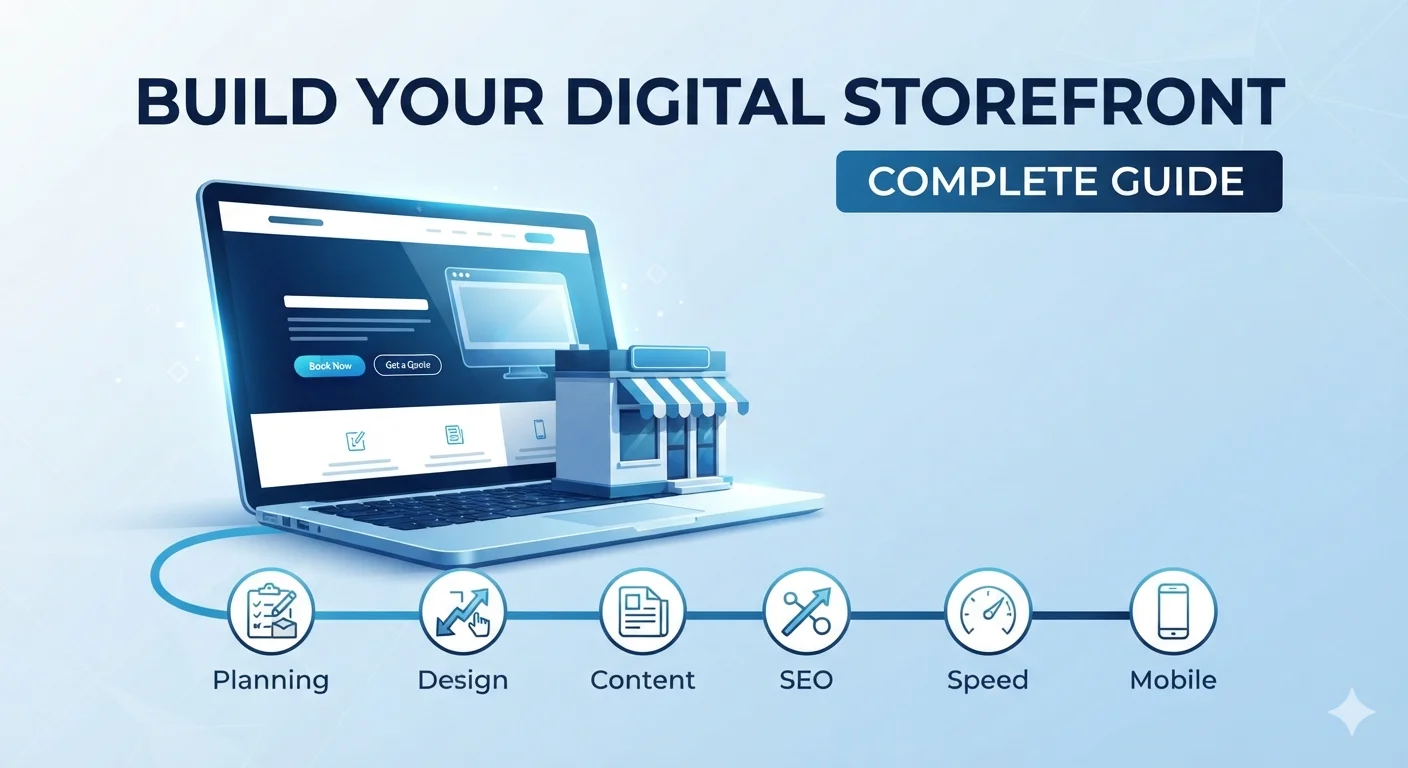
A website is no longer optional for a small business.
It is your digital storefront, your salesperson, your credibility proof, and your best lead generation tool — all in one.
But most small business websites fail at one or more of these jobs. They look outdated, load slowly, confuse visitors, do not rank on Google, or do not generate leads.
This complete website design guide for small businesses walks you through everything you need to plan, design, build, and grow a website that actually works for your business.
Whether you are launching a new site or fixing an old one, this guide gives you the structure, examples, and checklists to get it right.
Quick answer: what makes a small business website work?
A successful small business website does five things well:
- Explains what you do and who you serve in seconds
- Builds trust through design, content, and proof
- Ranks on Google for the searches your customers make
- Loads fast and works perfectly on mobile
- Guides visitors toward one clear next step (call, quote, book, or buy)
If your website does all five, you have a lead-generating asset. If it misses any of them, you are losing business to competitors.
Who this guide is for
This guide is built for:
- Small business owners planning a new website
- Business owners unhappy with their current website
- Non-technical founders who want a clear website roadmap
- Marketers and freelancers designing for small business clients
- Anyone who wants a website that actually drives leads and sales
It works for:
- Local service businesses (plumbers, dentists, salons, clinics, agencies)
- Professional services (consultants, lawyers, accountants)
- Ecommerce and product businesses
- B2B service providers
- Coaches, trainers, and personal brands
Part 1: Website strategy – the foundation of every small business website
Before you choose colors, fonts, or platforms, you need a strategy.
A website without strategy is decoration. A website with strategy is a business tool.
Step 1: Define the website’s job
Your website is not there to “exist.” It is there to do a job.
Common jobs for a small business website:
- Generate leads (calls, quote requests, bookings)
- Sell products online
- Build credibility and trust
- Educate customers
- Support existing customers
- Capture email subscribers
- Showcase portfolio and work
Step 2: Identify your audience
Be specific. “Everyone” is not a target audience.
Questions to answer:
- Who is your ideal customer?
- What problem do they have?
- What do they search for on Google?
- What objections stop them from contacting you?
- What action do you want them to take on the site?
Step 3: Identify your main services or offers
List your 3-6 core services. Each one should be a clear offer with a clear benefit.
Step 4: Study your competitors
Look at the top 3-5 competitors in your area or industry.
Note:
- What pages do they have?
- How do they structure their homepage?
- What CTAs do they use?
- What reviews and trust signals do they show?
- What do they do well?
- What do they do poorly?
Your website should be as good or better than the best competitor in your space.
Step 5: Define your website goals
Set measurable goals. Examples:
- Generate 20 quote requests per month
- Get 50 phone calls per month
- Rank in the top 3 for “[service] in [city]”
- Increase conversion rate from 1% to 3%
- Grow email list to 1,000 subscribers
Without goals, you cannot measure success.
Part 2: Website structure – pages every small business website needs
A clear structure helps visitors, search engines, and your business.
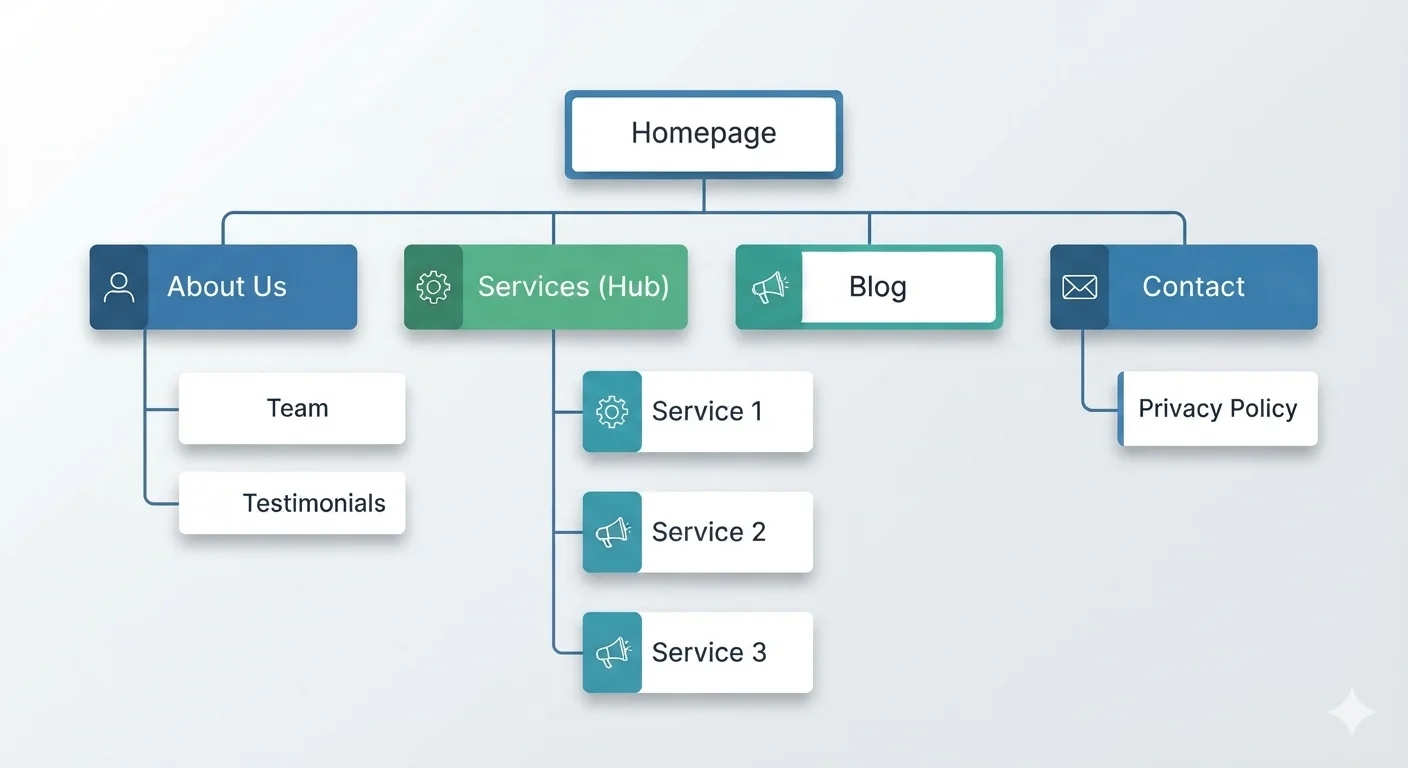
Recommended small business website structure:
- Homepage
- About page
- Services overview page
- Individual service pages (one per service)
- Service area or location pages (for local businesses)
- Portfolio or case studies
- Testimonials or reviews
- Blog or resources
- Contact page
- Privacy policy
- Terms of service (if needed)
- Thank you page (after form submission)
Why this structure works:
- Homepage introduces your business and guides visitors
- Service pages target specific keywords and convert visitors
- About page builds trust
- Portfolio or case studies provide proof
- Blog drives long-term SEO traffic
- Contact page makes action easy
Related: Best Website Layouts for Service Businesses
Part 3: Homepage design – the most important page
Your homepage is usually the first page visitors see.
It has one job: turn visitors into leads or guide them to the right page.
Best homepage structure for small businesses:
- Header with logo, navigation, phone, and CTA
- Hero section with headline, subheading, CTA, and trust signal
- Trust strip (reviews, years, ratings, certifications)
- Services overview
- Why choose us or differentiators
- Process or how it works
- Proof (testimonials, case studies, portfolio)
- FAQ
- Final CTA
- Footer with NAP (Name, Address, Phone)
Local business homepage additions:
- Service area or location
- Click-to-call button
- Map embed
- Local reviews
- Business hours
Related: Best Homepage Structure for Local Businesses
Homepage mistakes to avoid:
- Vague hero section (“Welcome to our website”)
- Hidden phone number
- No clear CTA
- No trust signals
- Too much text, no scannable sections
- Slow loading
- No mobile optimization
Part 4: Service page design – the conversion pages
Your service pages are where most leads happen.
Each important service should have its own page.
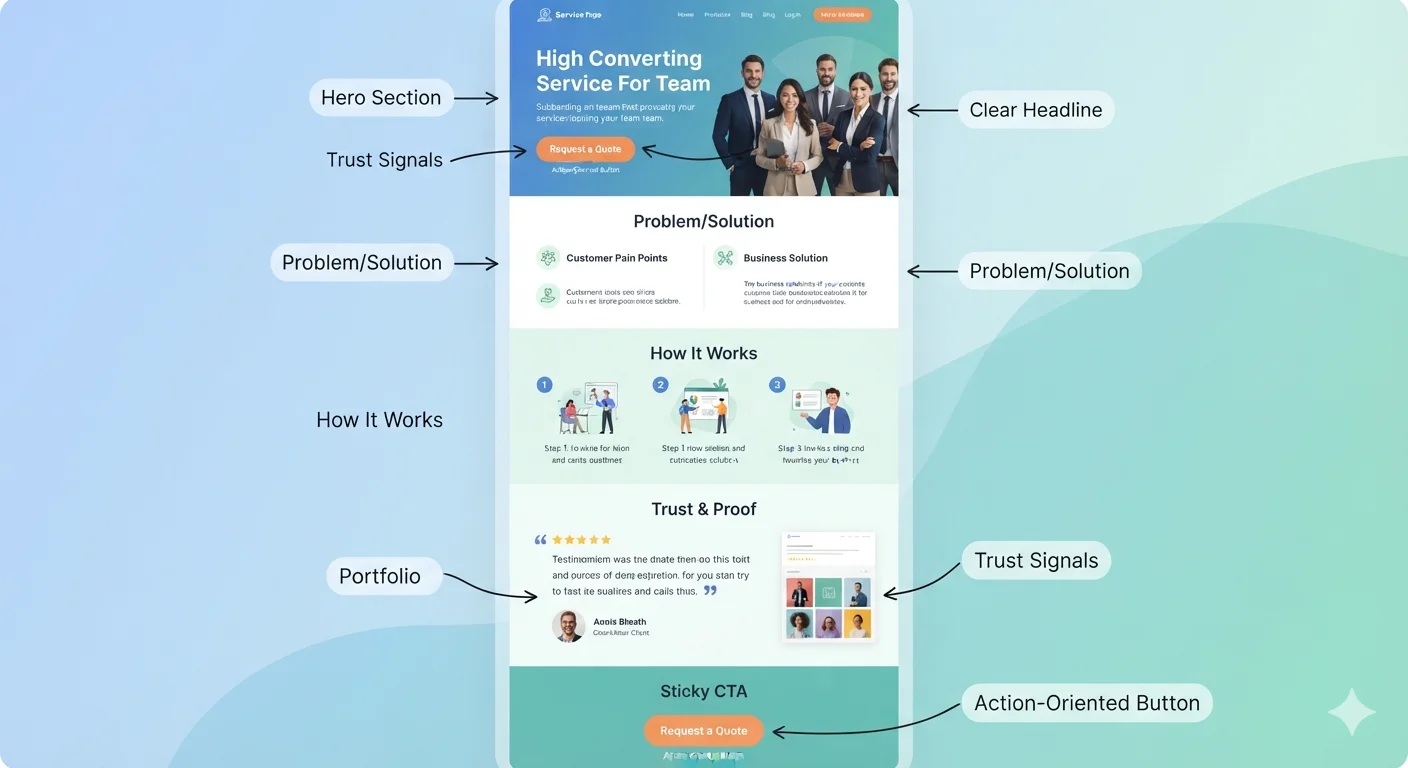
Best service page structure:
- Service-specific hero (headline, subheading, CTA)
- Problem section (what pain does the customer have?)
- Solution overview (how your service helps)
- What is included (deliverables)
- Benefits or outcomes
- Process or how it works
- Proof (testimonials, examples, case studies)
- Pricing guidance or quote explanation
- FAQ
- Final CTA
Service page checklist:
- One page per important service
- Clear service-specific headline
- Visitor’s problem is acknowledged
- Solution is clearly explained
- Deliverables are listed
- Benefits are clear
- Process is explained
- Proof is included
- FAQ answers objections
- CTA is repeated
Why service pages matter for SEO:
Each service page can rank for a different keyword. The more quality service pages you have, the more Google searches you can show up for.
Related: One Page Website vs Multi Page Website: Which Is Better?
Part 5: About page – building trust and connection
Most small businesses waste their About page.
A strong About page builds trust and answers the question: “Why should I trust you?”
About page should include:
- Who you are
- Your story or background
- Who you serve
- Your values or approach
- Your experience or credentials
- Team members (with photos if possible)
- Awards, certifications, or media mentions
- Testimonials or quotes
- Clear CTA
About page structure:
- Headline that connects with the visitor
- Founder or team story
- Mission or values
- Who you help and how
- Credentials and proof
- CTA (call, book, or contact)
About page mistakes to avoid:
- Long history lesson with no customer focus
- “We are passionate about excellence” with no proof
- No photos
- No CTA
Part 6: Contact page – making action effortless
Your contact page should remove every barrier to reaching you.
Contact page should include:
- Short, friendly heading
- Brief explanation
- Contact form (3-5 fields)
- Clickable phone number
- Email address
- Business address (if applicable)
- Map embed
- Business hours
- Response time expectation
- WhatsApp or messaging link (if used)
- Trust signal or testimonial
Contact page form fields to use:
- Name
- Email or phone
- Service needed
- Message
- Optional: website URL, budget range, timeline
Contact page mistakes to avoid:
- 10+ form fields
- No phone number
- No response time stated
- No trust signal
- Broken form or form with errors
Related: Why Your Website Is Not Getting Leads
Part 7: Website design principles for small businesses
Design is not just about looking good. It is about guiding visitors.
Design principles that work:
1. Clarity over cleverness
Visitors should understand what you do within 5 seconds.
2. Visual hierarchy
Make the most important things biggest: headline, CTA, key benefit.
3. Consistency
Use the same colors, fonts, button styles, and spacing across pages.
4. Whitespace
Give content room to breathe. Crowded pages feel untrustworthy.
5. Contrast
Make sure text is readable. Test for accessibility.
6. Mobile-first thinking
Design for mobile, then scale up for desktop. Not the other way around.
7. Fast loading
Every extra second costs leads. Optimize images, code, and hosting.
8. Brand alignment
Colors, fonts, photos, and tone should match your brand identity.
Design mistakes to avoid:
- Trendy animations that slow the site
- Stock photos that feel fake
- Too many colors or fonts
- Tiny text
- Low contrast
- Inconsistent button styles
- Decorative sections that distract from the CTA
Part 8: Website content – what to write on every page
Content is what turns a design into a website that works.
Content rules for small business websites:
- Write for the customer, not yourself
- Use simple, clear language
- Focus on benefits, not features
- Answer the questions visitors actually have
- Use short paragraphs and bullet points
- Include proof near decision points
- Use active voice
- Speak like a real human, not a corporate brochure
Content structure for each page:
- H1: One clear headline with the main keyword
- Subheading: Clarify the value or benefit
- Body: Explain the offer, the problem, the solution, and the proof
- CTA: Tell the visitor what to do next
Common content mistakes:
- Writing about yourself instead of the customer
- Using jargon or industry terms visitors do not understand
- Long paragraphs with no scannable structure
- No proof or examples
- No clear CTA
- Ignoring SEO basics
Part 9: Website SEO – getting found on Google
A beautiful website that no one finds is a wasted investment.
SEO (Search Engine Optimization) is how your website shows up in Google when people search for your services.
On-page SEO basics:
- Each page has a unique title tag with target keyword
- Each page has a meta description
- H1 includes the main keyword
- URLs are short and descriptive
- Images have descriptive alt text
- Internal links connect related pages
- Schema markup is added (LocalBusiness, Service, FAQ)
- Page loads fast
- Content is original and helpful
Local SEO essentials for small businesses:
- NAP (Name, Address, Phone) consistent across the site
- Google Business Profile optimized
- City or service area mentioned in titles and headings
- Map embedded on contact page
- Local reviews showcased
- LocalBusiness schema markup
- Service area pages if you serve multiple cities
- Local citations and directory listings
Content and SEO:
A blog is one of the most effective long-term SEO tools for small businesses.
Each blog post can target a specific question your customers are searching for. Over time, blog content builds authority and drives consistent organic traffic.
Related: SEO for Local Businesses: Simple Steps to Rank and Get More Leads
Part 10: Website speed and performance
Speed affects SEO, user experience, and conversions.
Speed goals:
- Load in under 3 seconds on mobile
- Largest Contentful Paint (LCP) under 2.5 seconds
- First Input Delay (FID) under 100ms
- Cumulative Layout Shift (CLS) under 0.1
How to improve website speed:
- Compress and resize images
- Use next-gen formats (WebP, AVIF)
- Enable caching
- Use a content delivery network (CDN)
- Minimize HTTP requests
- Remove unused plugins and scripts
- Choose fast, reliable hosting
- Lazy load images and videos
- Minimize CSS and JavaScript
- Use system fonts or optimized web fonts
Where to test speed:
- Google PageSpeed Insights
- Lighthouse (in Chrome DevTools)
- GTmetrix
- WebPageTest
- Google Search Console Core Web Vitals report
Related: Top WordPress Plugins and Tools for Faster, More Secure Websites
Part 11: Mobile-friendly design
Most visitors will see your site on a phone first.
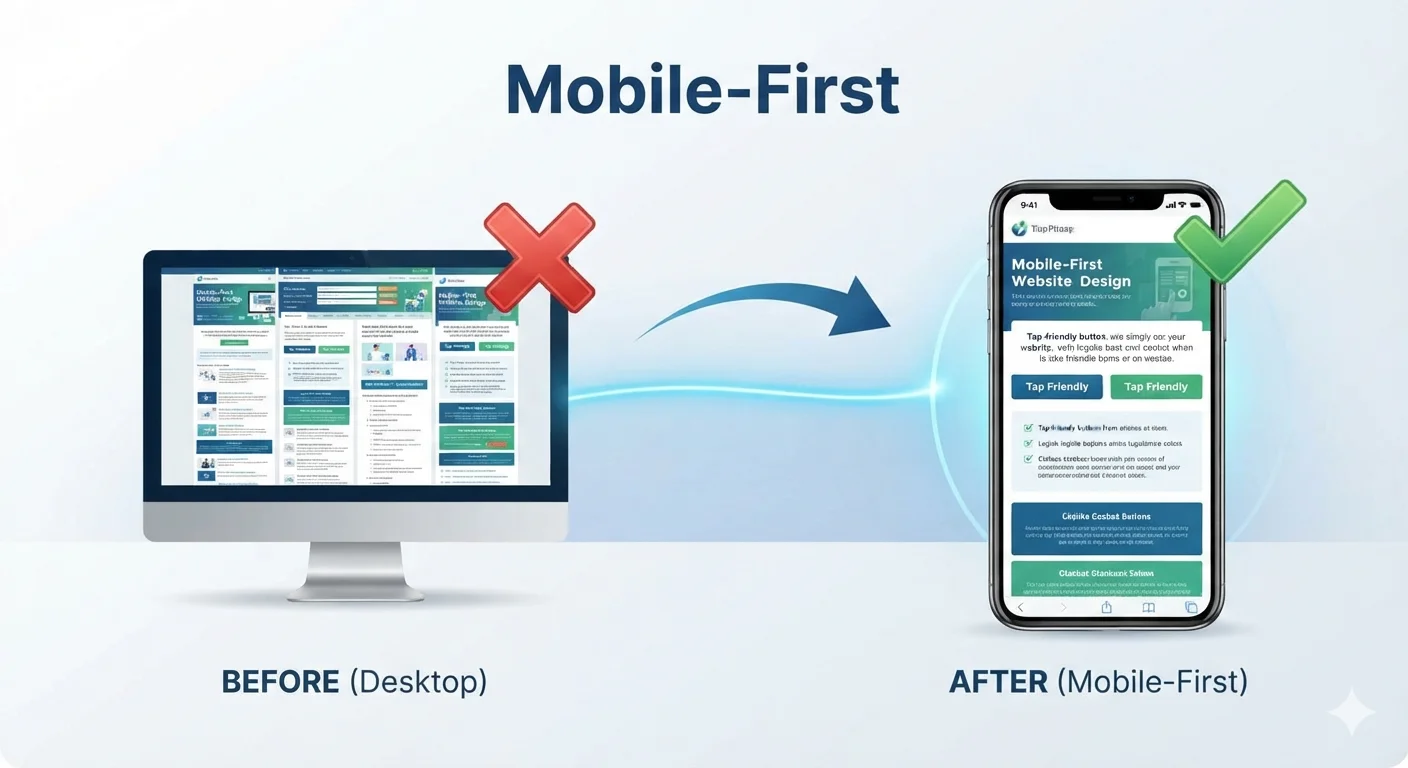
A mobile-friendly website is not optional. It is required.
Mobile essentials:
- Responsive design (same URL, different layout)
- Tap-friendly buttons
- Readable text without zooming
- Click-to-call phone numbers
- Short forms
- Fast loading on mobile data
- Sticky header or sticky CTA
- No intrusive popups
- Same important content as desktop
Common mobile mistakes:
- Tiny tap targets
- Text too small to read
- Forms with too many fields
- Hidden phone numbers
- Slow loading images
- Popups that block content
Related: Mobile-Friendly Website Checklist
Part 12: Lead generation – turning visitors into leads
A small business website should generate leads, not just look pretty.
Lead generation essentials:
1. Clear, single CTA on every page
Do not ask visitors to do five things. Pick one primary action.
2. Multiple ways to contact
- Phone
- Form
- Booking link
- Live chat (if it works)
3. Trust near CTAs
Place reviews, certifications, or testimonials near every contact button.
4. Short forms
Long forms kill conversions. Ask only what you need to start the conversation.
5. Response time stated
Tell visitors when they will hear back.
6. Thank you page
After form submission, send visitors to a clear thank you page that confirms next steps.
Lead generation mistakes:
- No CTA
- Hidden contact info
- 10+ form fields
- No trust signals
- Slow response to leads
- No tracking of conversions
Related: Website Conversion Best Practices: Turn Visitors into Customers
Part 13: Trust signals – proving you are credible
Trust is the difference between a visitor who contacts you and a visitor who leaves.
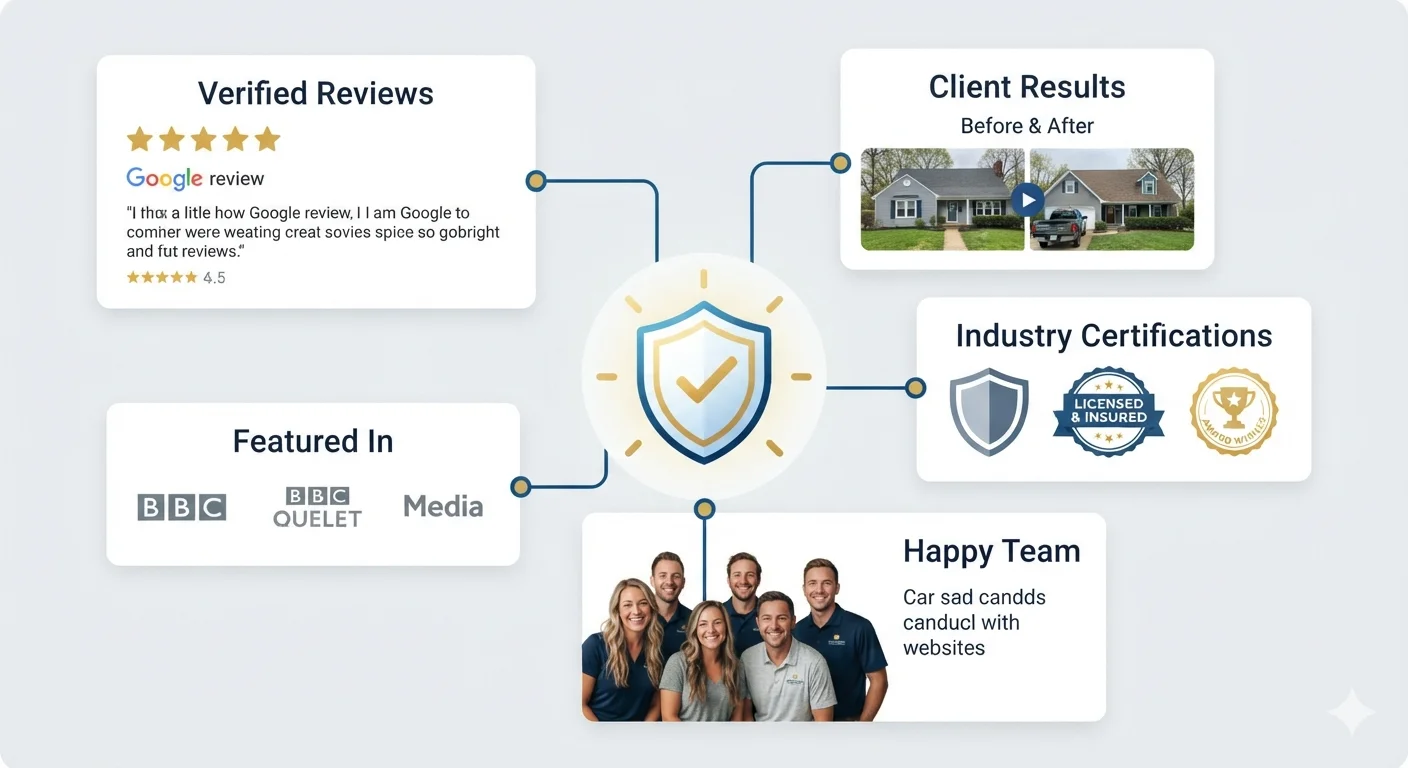
Trust signals to include:
- Google reviews and rating
- Testimonials with real names
- Before/after photos
- Case studies with results
- Certifications and licenses
- Years in business
- Number of customers served
- Industry awards or media mentions
- Logos of well-known clients
- Money-back guarantee
- Security badges (for ecommerce)
Where to place trust signals:
- Near the hero CTA
- On every service page
- On the contact page
- In the footer
- In the about page
Trust signal mistakes:
- Fake or paid reviews
- Stock photos instead of real team photos
- No proof for big claims
- Trust signals hidden or hard to find
Part 14: Analytics and tracking – measuring what works
A website without tracking is a guess.
What to track:
- Traffic (overall and by page)
- Traffic sources (Google, social, direct, referral)
- Top pages
- Bounce rate
- Average time on page
- Form submissions
- Phone clicks
- Button clicks
- Conversion rate (visitors to leads)
- Mobile vs desktop performance
- Core Web Vitals
Tools to use:
- Google Analytics 4 (GA4)
- Google Search Console
- Microsoft Clarity (free heatmaps)
- Hotjar (heatmaps and recordings)
- Call tracking software
- Form tracking
- PageSpeed Insights
How often to review:
- Weekly: traffic, leads, top pages
- Monthly: conversions, search performance, speed
- Quarterly: full audit, content updates, strategy review
Tracking turns your website from a static asset into a system you can improve over time.
Part 15: Website security and maintenance
A small business website needs basic protection and regular care.
Security essentials:
- HTTPS (SSL certificate)
- Secure hosting
- Regular backups
- Strong admin passwords
- Two-factor authentication on admin
- Updated CMS, plugins, and themes
- Firewall or security plugin (for WordPress)
- Spam protection on forms
Maintenance checklist (monthly):
- Update CMS, plugins, and themes
- Run backups
- Check forms and CTAs
- Review speed and Core Web Vitals
- Check for broken links
- Review analytics
- Update content if needed
- Check for security issues
A neglected website is a vulnerable website. Keep it updated.
Part 16: Choosing a website platform
The platform you choose affects cost, flexibility, SEO, and ownership.
Common platforms for small business websites:
WordPress (self-hosted)
- Best for: flexibility, SEO, scalability, ownership
- Pros: full control, thousands of plugins, customizable
- Cons: requires maintenance, needs hosting
- Cost: $50 – $500/year (hosting, domain, premium theme)
Wix
- Best for: simple sites, beginners, quick launches
- Pros: easy drag-and-drop, all-in-one
- Cons: limited SEO flexibility, harder to scale, less ownership
- Cost: $16 – $32/month
Squarespace
- Best for: design-focused sites, creatives, portfolios
- Pros: beautiful templates, easy editor
- Cons: limited integrations, weaker SEO flexibility
- Cost: $16 – $49/month
Webflow
- Best for: design-led custom sites, agencies
- Pros: full design control, modern hosting
- Cons: steeper learning curve
- Cost: $14 – $212/month
Shopify
- Best for: ecommerce stores
- Pros: built for selling, lots of apps
- Cons: monthly cost, transaction fees
- Cost: $29 – $299/month
Custom-coded
- Best for: complex or unique projects
- Pros: full flexibility
- Cons: highest cost, longest timeline
- Cost: $3,000 – $50,000+
How to choose the right platform:
- Define your goals
- Decide on budget
- Consider your technical skill
- Think about long-term scalability
- Check SEO capabilities
- Compare ownership and portability
- Look at maintenance needs
Related: Astro vs Next.js vs WordPress
Part 17: DIY website vs hiring an agency
Not every small business needs an agency. But many benefit from one.
DIY website builder is good for:
- Very simple sites
- Very tight budgets
- Owners with time to learn
- Personal projects or portfolios
- Side businesses not relying on the site
Web design agency is good for:
- Lead-focused websites
- Professional brand image
- Local SEO and ranking goals
- Complex features or custom design
- Owners with limited time
- Long-term digital growth
Hybrid option:
DIY platform + professional designer, copywriter, or SEO consultant for specific help.
Related: DIY Website Builder vs Web Design Agency
Part 18: Small business website costs
Websites range from free to $50,000+. Most small businesses land in the middle.
Cost breakdown:
DIY website
- Platform: $0 – $50/month
- Domain: $10 – $20/year
- Premium template: $50 – $200 (one-time)
- Apps and add-ons: $0 – $50/month
- Total first year: $100 – $1,000
Freelancer website
- Basic site: $500 – $2,000
- Standard site: $1,500 – $5,000
- Total: $500 – $5,000
Web design agency
- Basic site: $1,500 – $3,000
- Standard site: $3,000 – $7,000
- Custom site: $5,000 – $15,000
- Ecommerce site: $5,000 – $25,000+
- Total: $1,500 – $25,000+
Ongoing costs
- Hosting: $5 – $50/month
- Maintenance: $50 – $300/month
- SEO: $300 – $2,000/month
- Content: $200 – $1,000/month
Related: How Much Does a Small Business Website Cost in 2026?
Part 19: Common website mistakes small businesses make
Mistake 1: Treating the website as a one-time project
A website is a long-term asset. It needs updates, content, and optimization.
Mistake 2: Designing for yourself, not the customer
You are not the visitor. Your customer is.
Mistake 3: Hiding the phone number
Make calling effortless.
Mistake 4: Slow loading
Speed affects SEO and conversions.
Mistake 5: No clear CTA
Every page should guide visitors toward one action.
Mistake 6: No SEO work
A pretty site with no traffic is a waste of money.
Mistake 7: No trust signals
Without proof, visitors leave.
Mistake 8: Ignoring mobile
Mobile is where most visitors see your site.
Mistake 9: No analytics
Without tracking, you cannot improve.
Mistake 10: Set and forget
Websites decay over time. Refresh content, update design, and improve SEO regularly.
Related: Website Redesign Checklist Before Hiring an Agency
Part 20: Small business website launch checklist
Use this before going live.
Strategy
- Website goal is defined
- Target audience is clear
- Main services are listed
- Competitors reviewed
Content
- Homepage copy is complete
- Service pages are written
- About page is written
- Contact page is written
- FAQ is added
- All images have alt text
- No placeholder text (“Lorem ipsum”) remains
- Spelling and grammar are checked
Design
- Consistent colors and fonts
- Visual hierarchy is clear
- Whitespace is balanced
- Mobile layout is reviewed
- Tablet layout is reviewed
- Desktop layout is reviewed
Functionality
- Contact form works
- Phone number is click-to-call
- Map is correct
- All buttons work
- All links work
- Forms send to correct email
- Thank you page is set up
SEO
- Title tags set on every page
- Meta descriptions set
- URLs are clean
- H1 includes target keyword
- Schema markup is added
- Sitemap is generated
- Robots.txt is correct
Performance
- Page loads in under 3 seconds
- Images are compressed
- Caching is enabled
- Core Web Vitals are checked
Tracking
- Google Analytics is installed
- Google Search Console is connected
- Form submissions are tracked
- Phone clicks are tracked (if possible)
Security
- HTTPS is active
- Backups are configured
- Admin password is strong
- Software is up to date
Legal
- Privacy policy is published
- Terms of service (if needed)
- Cookie notice (if required)
Frequently asked questions
How much does a small business website cost?
A small business website can cost anywhere from $100 per year (DIY) to $25,000+ (custom agency build). Most small businesses spend $1,500 – $5,000 for a professional site.
How long does it take to build a small business website?
DIY sites can launch in 1-2 weeks. Agency projects usually take 3-8 weeks. Complex or custom sites may take 2-3 months.
Do small businesses need a website?
Yes. Most customers search online before contacting a business. Without a website, you lose credibility and leads to competitors who have one.
What is the most important page on a small business website?
The homepage is usually the most visited page, but service pages often drive the most leads. Both must be strong.
Should a small business use a DIY website builder?
A DIY builder can work for very simple sites, tight budgets, or personal projects. For lead-focused businesses, a professionally built site usually delivers more value.
What pages should a small business website have?
At minimum: homepage, about, services, contact, privacy policy. Recommended: service pages, portfolio, testimonials, blog.
How do small business websites get leads?
Through SEO traffic, paid ads, social media, referrals, and direct visits. The website then converts that traffic into calls, forms, bookings, or sales.
Do I need a blog on my small business website?
A blog is not required, but it is one of the best long-term SEO investments. Each blog post can rank for a question your customers are searching for.
How do I know if my website is working?
Track traffic, leads, conversion rate, search rankings, and speed. If leads are growing and rankings are improving, the site is working.
How often should I update my website?
Update content and blog posts monthly. Review design, SEO, and strategy every 6-12 months. Full redesign is usually needed every 3-5 years.
What is the difference between web design and web development?
Web design focuses on layout, visuals, and user experience. Web development focuses on coding, functionality, and performance. Both are needed for a complete site.
Should I hire a local web designer or work with a remote agency?
Both can work. Local designers offer in-person meetings and local market knowledge. Remote agencies often offer more services, larger teams, and competitive pricing. Choose based on portfolio, communication, and fit.
Final recommendation
A great small business website is not built once and forgotten. It is planned, designed, launched, and continuously improved.
To build a website that actually grows your business:
- Start with strategy, not design
- Build a clear, conversion-focused structure
- Design for clarity, speed, and mobile
- Write content for your customer, not yourself
- Add trust signals near every decision point
- Optimize for SEO from day one
- Track performance and improve monthly
Whether you DIY or hire an agency, the principles in this guide apply. The goal is the same: a website that looks professional, loads fast, ranks on Google, and turns visitors into leads.
A website is not an expense. It is a long-term business asset that works for you 24/7.
Ready to build or improve your small business website? Contact TheWebPal for a free website consultation, audit, or design proposal. We help small businesses launch lead-generating websites that grow over time.
Related resources
- Best Website Layouts for Service Businesses
- Best Homepage Structure for Local Businesses
- 10 Features Every Business Website Needs
- How Much Does a Small Business Website Cost in 2026?
- DIY Website Builder vs Web Design Agency
- Website Design Package: What Should Be Included?
- Website Redesign Checklist Before Hiring an Agency
- One Page Website vs Multi Page Website: Which Is Better?
- Why Your Website Is Not Getting Leads
- Mobile-Friendly Website Checklist
- SEO for Local Businesses: Simple Steps to Rank and Get More Leads
- Website Conversion Best Practices: Turn Visitors into Customers
- Top WordPress Plugins and Tools for Faster, More Secure Websites
- Astro vs Next.js vs WordPress
- Best Web Hosting Services for Small Business Websites 2026