Choosing between a DIY website builder and a web design agency is one of the first big decisions a small business owner makes.
Both options can work. Both options can also waste time and money if used in the wrong situation.
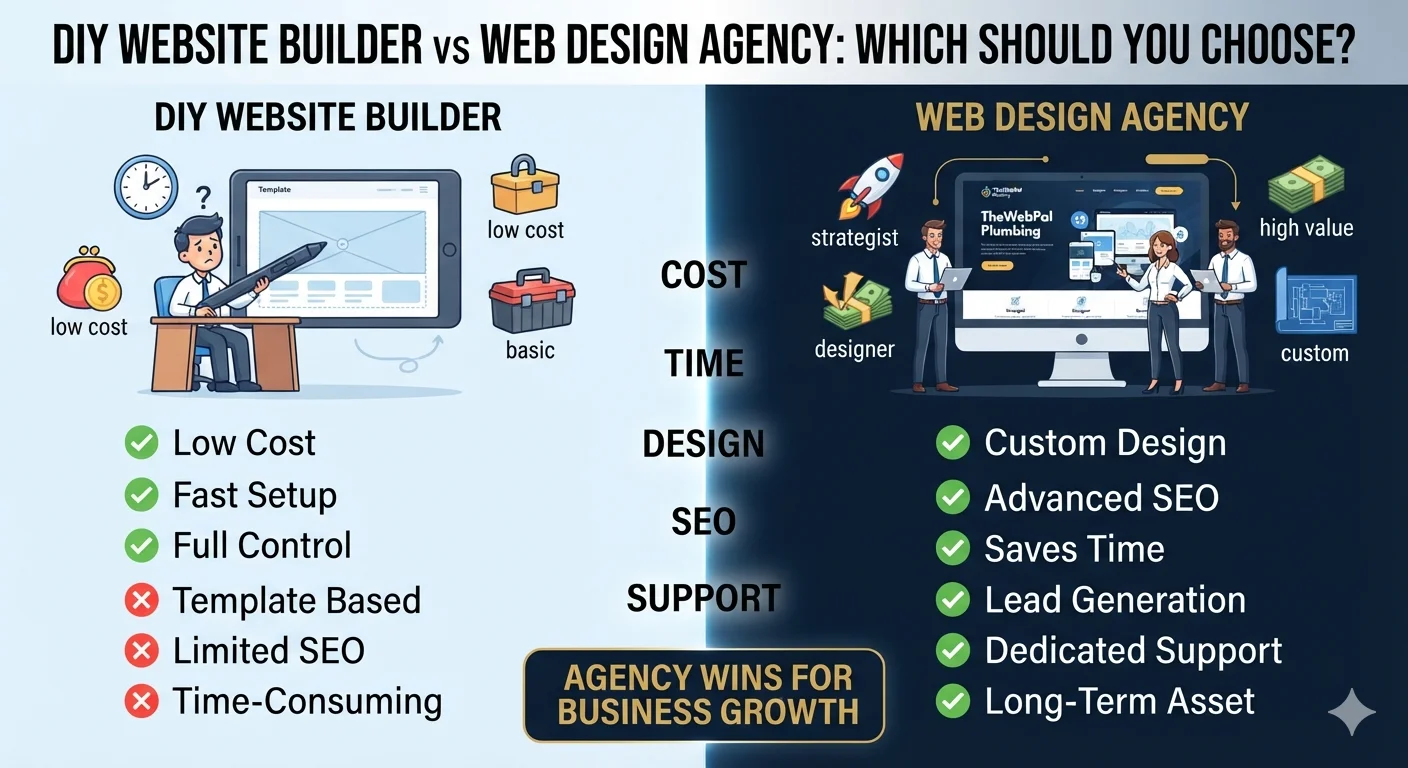
A DIY builder is cheap, fast, and gives you control. An agency costs more, takes longer, but delivers professional results, better SEO, and fewer headaches.
So how do you choose?
This guide breaks down the real differences between a DIY website builder and a web design agency — including cost, time, quality, customization, SEO, and long-term value — so you can pick the right option for your business.
Quick answer: DIY website builder vs web design agency
- Choose a DIY website builder if you need a simple site fast, have a very small budget, and are comfortable learning the platform.
- Choose a web design agency if you want a professional, custom, lead-generating website that ranks on Google, looks credible, and saves you time.
For most growing small businesses, a professional website built by an agency pays for itself through better leads, stronger trust, and less time wasted on trial and error.
What is a DIY website builder?
A DIY website builder is a platform that lets you create a website yourself using drag-and-drop tools, templates, and built-in features.
Popular DIY website builders:
- Wix
- Squarespace
- WordPress.com
- GoDaddy Website Builder
- Weebly
- Hostinger Website Builder
- Shopify (for ecommerce)
How a DIY builder works:
- Sign up for an account
- Choose a template
- Drag and drop elements (text, images, buttons, forms)
- Add content
- Publish
No coding required. You manage everything yourself.
What you usually get:
- Hosting included
- Drag-and-drop editor
- Pre-made templates
- Basic SEO settings
- Contact forms
- Mobile responsive design
- Basic analytics
- Domain connection
What you usually do NOT get:
- Custom design
- Advanced SEO strategy
- Conversion-focused layout
- Copywriting
- Speed optimization
- Custom functionality
- Hands-on support
- Strategic guidance
What is a web design agency?
A web design agency is a team of designers, developers, and strategists who plan, design, build, and launch a custom website for your business.
What an agency typically does:
- Discovers your business goals
- Researches your audience and competitors
- Plans site structure and pages
- Designs a custom layout
- Writes or refines content
- Builds the site
- Optimizes for SEO and speed
- Tests on mobile and desktop
- Launches and provides support
What you get from an agency:
- Custom design (not a template)
- Strategy-led layout
- Professional copywriting
- On-page SEO
- Speed optimization
- Mobile-first development
- Lead generation focus
- Integrations (CRM, booking, email, analytics)
- Training and support
- Ongoing maintenance options
What you usually do NOT get for free:
- Full source ownership (depends on the contract)
- Unlimited revisions (usually scoped)
- Free hosting (often included in packages, but not always)
Related: Website Design Package: What Should Be Included?
DIY website builder vs web design agency: side-by-side comparison
Here is how the two options compare across the factors that matter most.
| Factor | DIY Website Builder | Web Design Agency |
|---|---|---|
| Cost | $0 – $50/month | $500 – $10,000+ |
| Time to launch | Days to weeks | 3 – 8 weeks |
| Design quality | Template-based | Custom, unique |
| Customization | Limited by platform | Fully custom |
| Ease of use | Easy for beginners | No work needed from you |
| SEO | Basic settings | Advanced strategy |
| Speed | Depends on platform | Optimized |
| Mobile experience | Usually responsive | Custom mobile design |
| Scalability | Limited | High |
| Support | Knowledge base / chat | Dedicated project manager |
| Best for | Simple sites, side projects, very small budgets | Lead generation, branding, growth |
Cost comparison: DIY vs agency
Cost is usually the first thing small business owners compare.
DIY website builder cost
- Free plan (limited): $0
- Basic plan: $10 – $25/month
- Business plan: $25 – $50/month
- Domain name: $10 – $20/year
- Apps and add-ons: $5 – $50/month (depending on needs)
Estimated yearly cost: $150 – $800
Web design agency cost
- Basic small business site: $500 – $1,500
- Standard small business site: $1,500 – $5,000
- Custom or lead-gen site: $3,000 – $10,000
- Ecommerce or advanced site: $5,000 – $25,000+
- Ongoing maintenance: $50 – $300/month (optional)
Estimated one-time cost: $1,500 – $10,000
What most business owners forget about DIY costs
- Your time (often 20-80 hours)
- Premium templates ($50 – $200)
- Plugins and add-ons
- Learning curve
- Trial and error
- Hiring a freelancer later to “fix it”
When you add your time, the DIY cost can quietly match or exceed an agency price.
Related: How Much Does a Small Business Website Cost in 2026?
Time comparison: DIY vs agency
Time is often more valuable than money for small business owners.
DIY website builder timeline
- Learning the platform: 5 – 20 hours
- Choosing template and setup: 2 – 5 hours
- Building pages: 10 – 40 hours
- Writing content: 5 – 20 hours
- Testing and fixing: 3 – 10 hours
Total time: 25 – 95 hours
Most DIY builders take 1-4 weeks of part-time work, or much longer if you are busy.
Web design agency timeline
- Discovery and strategy: 3 – 7 days
- Design: 5 – 10 days
- Development: 7 – 14 days
- Review and revisions: 3 – 7 days
- Launch: 1 – 3 days
Total time: 3 – 8 weeks
Your time investment: a few hours of feedback and approvals.
Who wins on time?
- If you have free time and patience: DIY
- If you are running a business: agency
For busy business owners, the agency timeline is actually faster in real hours of work.
Design and customization comparison
DIY website builder
- Hundreds or thousands of templates
- Limited to template structure
- Customization is within platform rules
- You can change colors, fonts, images, sections
- Unique design is hard to achieve
- You will likely look similar to other businesses on the same template
Web design agency
- Fully custom design
- Built around your brand, audience, and goals
- Unique layout, illustrations, and visual identity
- No template limitations
- Tailored to your specific industry and customer journey
Who wins on design?
If you want a unique, professional, brand-driven website, an agency wins clearly.
If you just need a clean, simple site and the template works, a DIY builder is fine.
SEO comparison: DIY vs agency
SEO is where many DIY websites fall short.
DIY website builder SEO
- Basic title and meta description settings
- Simple image alt text
- Limited URL structure control
- Sitemap auto-generated
- Schema markup is limited or absent
- Speed is average to slow
- On-page SEO strategy: usually none
Web design agency SEO
- Keyword research
- Site structure planning
- Optimized URLs, titles, headings
- Image optimization
- Schema markup (LocalBusiness, Service, FAQ)
- Speed optimization
- Internal linking strategy
- On-page SEO for each service page
- Local SEO setup (NAP, map, citations)
Why agency SEO matters
Most DIY websites look okay but do not rank.
If you want your business to show up in Google for “[your service] in [your city],” you need real SEO work — not just a sitemap and a few keywords.
Related: SEO for Local Businesses: Simple Steps to Rank and Get More Leads
Conversion and lead generation comparison
This is where the difference becomes most clear.
DIY website builder
- Generic layout
- No conversion strategy
- Forms are often basic
- CTAs are limited
- No funnel design
- No A/B testing
- No heatmaps or analytics setup
- Trust signals depend on you
Web design agency
- Conversion-focused layout
- Lead flow planning
- Strategic CTAs throughout
- Forms designed to convert
- Tracking and analytics setup
- Heatmaps and behavior analysis (in higher packages)
- Trust signals built into design
- A/B testing options
Why agency websites get more leads
A DIY website shows information. An agency website guides visitors toward one clear action.
If your website is a sales tool, the agency approach usually delivers more leads per visitor.
Related: Why Your Website Is Not Getting Leads
Support and maintenance comparison
DIY website builder
- Knowledge base and tutorials
- Email or chat support
- You are responsible for updates
- You troubleshoot issues yourself
- Plugin or platform issues are on you
Web design agency
- Dedicated project manager
- Post-launch support window
- Training on how to use your site
- Maintenance plans available
- Security and updates managed
- Bug fixes and improvements handled
Who wins on support?
If you want to be hands-off, an agency wins.
If you like to learn and manage things yourself, a DIY platform works.
When a DIY website builder is the right choice
A DIY builder is a good fit if:
- You are launching a personal project or portfolio
- You run a very small local business with one or two services
- You need a temporary site quickly
- You have time to learn the platform
- You enjoy designing and writing your own content
- Your business is just starting and budget is very tight
- You do not depend on the website for leads
Examples where DIY works well:
- Freelancer portfolio
- Personal blog
- Local club or community group
- Side business with no online revenue
- Early-stage idea validation
- Simple landing page for a single offer
When a web design agency is the right choice
An agency is the right fit if:
- You depend on your website for leads and sales
- You want a professional, credible brand image
- You want to rank on Google for local or service keywords
- You do not have time to build it yourself
- You need custom features, integrations, or design
- You want a long-term digital asset, not a quick fix
- You are scaling and need your website to grow with you
Examples where agency wins clearly:
- Local service businesses (dentists, plumbers, lawyers, clinics)
- Agencies and consultancies
- Professional service providers
- SaaS and software companies
- Ecommerce stores
- Multi-location businesses
- Lead-focused businesses
Related: Best Website Layouts for Service Businesses
Hybrid option: DIY with professional help
You do not always have to choose one or the other.
A hybrid approach can work well:
- DIY platform + professional designer: Use Wix or Squarespace, but pay a designer to create a custom template or layout
- DIY platform + copywriter: You build the site, but hire a copywriter for service pages
- DIY platform + SEO expert: You build the site, but hire an SEO consultant to optimize it
- Agency build + you manage content: The agency builds it, you update blogs and images
When hybrid works:
- Limited budget but still want professional polish
- You want to learn the platform but need expert setup
- You are on a tight deadline
- You need a fast MVP before a full custom build
How to choose: a simple decision framework
Use this to pick the right option for your business.
Choose DIY if:
- Budget is under $500
- You have 30+ free hours
- The site is simple (1-5 pages)
- You are not relying on the site for leads
- You are comfortable learning new tools
- You can write your own content
Choose an agency if:
- Budget is $1,500+
- You have less than 10 free hours
- The site is complex (5+ pages, custom features)
- The site is a key lead source
- You want a custom, brand-driven design
- You want SEO, speed, and conversion optimization
- You want long-term support
Choose hybrid if:
- Budget is $500 – $2,000
- You want professional polish but want to learn
- You have time to manage the project
- You need help in specific areas (design, copy, or SEO)
Common DIY website mistakes
If you choose the DIY route, avoid these mistakes.
Mistake 1: Picking the wrong platform
Some platforms are better for ecommerce, some for portfolios, some for service businesses. Research first.
Mistake 2: Using the default template without customization
If you only swap your logo, your site will look like a template.
Mistake 3: Ignoring mobile optimization
Test on real phones, not just desktop previews.
Mistake 4: Writing too much or too little
Match content to what your customer needs, not what sounds impressive.
Mistake 5: No clear call-to-action
If visitors do not know what to do, they leave.
Mistake 6: No SEO work
A pretty site that no one finds is a waste of money.
Mistake 7: Slow loading
Large images, heavy fonts, and unnecessary apps kill speed.
Mistake 8: No analytics or tracking
If you do not measure, you cannot improve.
Mistake 9: No trust signals
Reviews, certifications, and real photos matter.
Mistake 10: Giving up too early
DIY sites often take longer than expected. Plan for that.
Related: Mobile-Friendly Website Checklist
Common agency website mistakes to avoid
Even with an agency, you can fail if you make the wrong choices.
Mistake 1: Choosing the cheapest agency
Low price often means template work, offshore teams, or limited support.
Mistake 2: Not reviewing the portfolio
Always look at real projects, not mockups.
Mistake 3: No clear scope or contract
Always agree on pages, revisions, timelines, and ownership.
Mistake 4: Ignoring SEO in the proposal
A beautiful site that does not rank is just decoration.
Mistake 5: No conversion strategy
Design without conversion thinking is wasted potential.
Mistake 6: Not providing feedback
Agencies need clear, timely input. Silence delays projects.
Mistake 7: Skipping post-launch support
Websites need updates, fixes, and improvements.
Related: Website Redesign Checklist Before Hiring an Agency
How to choose the right web design agency
If you decide to hire an agency, here is how to pick the right one.
Look for:
- Real, relevant portfolio examples
- Clear process and timeline
- Defined scope and pricing
- SEO included in the proposal
- Conversion-focused thinking
- Good communication and reviews
- Post-launch support options
- Ownership of source files and content
Ask these questions:
- What is your process?
- How long will it take?
- What is included in the price?
- Do you provide content and copywriting?
- Is SEO included?
- Will the site be mobile-friendly?
- Who owns the website after launch?
- Do you offer ongoing support?
- Can I see examples of similar projects?
- What happens if I am not happy with the design?
Red flags:
- No portfolio
- No clear process
- Very low price
- Promises of “unlimited everything”
- No contract or scope document
- No mention of SEO or speed
- Long delays in communication
- Uses only stock templates
Related: Website Design Package: What Should Be Included?
DIY vs agency: real scenarios
Scenario 1: Local bakery with one location
- 3 service pages, contact form, map
- Few leads per month from the website
- Owner is busy running the bakery
Best choice: Agency for a clean, fast, lead-friendly site — or DIY with a strong template if budget is tight.
Scenario 2: Freelance graphic designer
- Portfolio of work
- Contact form
- Simple “about me” and services
Best choice: DIY on Squarespace or Wix. Custom agency site is overkill.
Scenario 3: Multi-location dental clinic
- Multiple locations
- Service pages for each treatment
- Booking integration
- Strong local SEO required
Best choice: Agency. This is too complex and important for DIY.
Scenario 4: SaaS startup
- Product pages
- Pricing, features, demos
- Blog and resources
- Lead capture and CRM integration
Best choice: Agency. SaaS sites need custom design, speed, and conversion flows.
Scenario 5: Personal blog or hobby site
- Articles, photos, no selling
Best choice: DIY. No need for an agency.
Scenario 6: Local law firm
- Practice area pages
- Attorney bios
- Strong credibility required
- High-value leads
Best choice: Agency. Credibility and SEO directly affect case acquisition.
DIY website builder vs web design agency: pros and cons summary
DIY website builder pros:
- Low cost
- Fast setup
- Full control
- Easy to update
- No waiting on others
DIY website builder cons:
- Limited design quality
- Limited SEO
- Limited customization
- Time-consuming
- Harder to scale
- Can look generic
- No strategic guidance
Web design agency pros:
- Custom, professional design
- SEO and conversion built in
- Saves time
- Strategic guidance
- Scalable foundation
- Strong brand impression
- Post-launch support
Web design agency cons:
- Higher cost
- Longer timeline
- Less day-to-day control
- Depends on agency quality
- Revisions can be limited
- Ongoing costs possible
Frequently asked questions
Is it worth paying for a web design agency?
Yes, for most small businesses that depend on their website for leads, credibility, or sales. A professional site usually pays for itself through better conversion, stronger SEO, and more trust. For hobby sites or simple portfolios, a DIY builder is often enough.
Is a DIY website builder good enough for a small business?
A DIY builder can be good enough if your site is simple, your expectations are realistic, and you invest time into content, SEO, and design. However, most DIY sites struggle to rank, convert, and compete with professionally built sites.
How much does a web design agency cost for a small business?
Most small business websites from an agency cost between $1,500 and $5,000. Basic sites start around $500, while custom or complex sites can exceed $10,000. Price depends on scope, features, and agency experience.
Can I switch from a DIY builder to an agency later?
Yes, but it usually costs more than starting with an agency. You will pay for the design, build, content migration, and SEO work again. If you think you may outgrow a DIY builder soon, plan the switch early.
Which DIY website builder is best for small businesses?
Wix, Squarespace, and WordPress.com are the most popular for small businesses. Wix is flexible, Squarespace is design-forward, and WordPress.com is scalable. The best choice depends on your goals, skill level, and budget.
Do web design agencies do SEO?
Many agencies include basic on-page SEO in their web design packages. Some also offer full SEO services. Always confirm what SEO work is included before signing a contract.
How long does it take an agency to build a website?
Most small business websites take 3 to 8 weeks. Complex sites, ecommerce stores, or projects with many revisions can take longer. The timeline depends on scope, content readiness, and feedback speed.
Can I build a website myself if I am not technical?
Yes. Modern DIY builders are made for non-technical users. You can launch a basic site without coding. However, learning SEO, design principles, and conversion strategy takes time and effort.
What is the difference between a web designer and a web design agency?
A web designer is usually one person who handles design and possibly development. An agency is a team that includes designers, developers, strategists, copywriters, and project managers. Agencies usually offer more services and support.
Should I hire a freelancer instead of an agency?
A freelancer can be a good middle ground — lower cost than an agency, more skill than a DIY builder. The trade-off is limited capacity, fewer specialists, and less support. For complex projects, an agency is usually safer.
Final recommendation
There is no universal winner between a DIY website builder and a web design agency. The right choice depends on your goals, budget, time, and how much your website matters to your business.
Pick a DIY builder if:
- Budget is tight
- The site is simple
- You have time to build and maintain it
- The site is not your main lead source
Pick a web design agency if:
- Your website is a key part of your growth
- You want a professional brand image
- You want SEO, speed, and conversion
- You want to focus on running your business
- You want a long-term digital asset
For most small businesses that want to grow online, the agency route delivers more value over time.
The website is often the first impression, the first sales tool, and the first SEO asset of your business. It is worth investing in if it matters to your revenue.
Not sure whether to DIY or hire an agency? Contact TheWebPal for a free consultation. We will review your business, goals, and budget, and recommend the best path — whether that is DIY support, a custom build, or a hybrid approach.